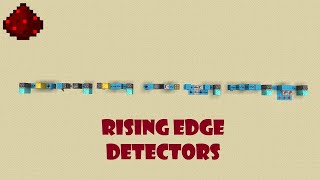
Video: [Edge Detectors] Minecraft Circuit Board + World Download by mcKrawll
How to build it
- Set Up the Input and Test Output
Place a solid block with a lever on it to serve as your steady on/off input. Place a redstone lamp at the end of your workspace so you can clearly see the output pulses.
- Build a Hopper-Dropper Rising Edge Detector
Place a dropper facing directly into a hopper, and crouch-place the hopper so its spout points back into the dropper. Put a single random item inside the dropper.
- Take the Comparator Output
Place a redstone comparator facing away from the hopper leading into your output lamp. When you flick the input lever on, the dropper pushes the item into the hopper, briefly flashing the comparator before the hopper returns the item.
- Build a Classic Rising Edge Monostable
For a faster rising edge pulse, run your lever input into a classic monostable pulse limiter using a sticky piston and a repeater. Flipping the lever on will let a brief pulse through before the piston cuts off the connection.
- Create a Falling Edge Detector
Modify the circuit by delaying the input line with a repeater and inverting the active state so the output stays quiet while powered. When you switch the lever from on to off, the delayed release emits a single pulse on the falling edge.
- Combine Circuits for a Dual Edge Detector
Build your rising edge detector and falling edge detector side by side and wire them both to the same input lever. Merge both of their outputs into one redstone dust line so the lamp flashes both when the lever turns on and when it turns off.
- Build a Compact Single-Plane Dual Edge Detector
For a smaller standalone dual edge detector, attach a lever to the side of an input block and wire a compact piston and redstone dust layout on a single horizontal plane. Toggling the lever in either direction updates the circuit and sends a quick pulse to the output.
How it works
Edge detectors belong to the pulse circuit family alongside monostable circuits and pulse limiters. Instead of staying active as long as the input is powered, they only react to the transition between states:
- Rising Edge (Off to On): Emits a pulse the moment the input turns on. In the dropper-hopper design, powering the dropper ejects the item into the hopper. The comparator reads the item in the hopper and outputs a short pulse until the hopper pushes the item back into the dropper. Returning the lever to the off position does nothing.
- Falling Edge (On to Off): Emits a pulse only when a powered input turns off. Turning the lever on primes and delays the internal state without firing the output; turning it off releases the stored transition as a brief pulse.
- Dual Edge (Both Transitions): Combines rising and falling logic (or uses a compact piston update layout) so that both turning the input on and turning it off produce a distinct output pulse.
Tips & variations
- Avoid Just Inverting Inputs: While you can theoretically turn a rising edge detector into a falling edge detector by placing a redstone torch inverter on the input, doing so adds unnecessary bulk and delay compared to using a dedicated falling edge layout.
- Dropper-Hopper Orientation: You can orient the dropper and hopper vertically or horizontally as long as they feed directly into each other and the hopper is not locked by your input power for too long.
- Flatten Your Dual Edge Build: On the compact dual edge design, place the input lever on the side of the block rather than on top to keep the entire circuit flat on a single layer.