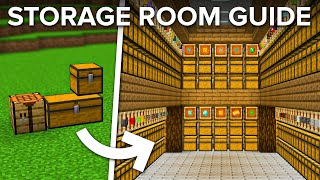
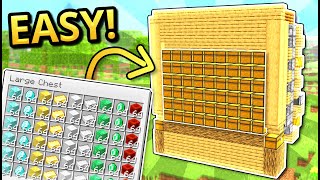
Video: Minecraft: UPGRADEABLE Multi Item Storage System! Easy Tutorial | Minecraft Bedrock & Java by silentwisperer
How to build it
- Place the 3x3 Chest Wall
Clear a 6-deep by 8-wide area with 1 block below ground and 5 above. Starting 3 blocks in from the front-left corner, build three side-by-side columns of 3 stacked double chests.
- Build the Dropper Elevators and Hoppers
Behind the first two chest columns, build a vertical stack of droppers facing straight upwards to the top layer. Behind all three chest columns, crouch and place 3 vertical hoppers pointing directly into the back of the chests, plus 1 bottom hopper below them pointing sideways into the dropper tower to its right (the final column's bottom hopper points forward into an overflow chest).
- Wire the Bottom Redstone Slice
Behind the first dropper tower at the bottom, place a 1-tick repeater pointing into the dropper, redstone dust behind it, a solid block behind that, and dust on top. Above that, place a slab and a glass block with a solid block beside them, then add two redstone dust, a repeater facing the hoppers/droppers, and a redstone torch on the solid block.
- Wire the Upper Redstone Slice
Move up to the next layer and place two upper slabs instead of a slab and glass, with a solid block beside them. Add two redstone dust on the slabs, a repeater facing forward into the build, and a redstone torch on the side of the solid block.
- Repeat Wiring Across All Columns
Duplicate the exact same 2-wide redstone pattern (bottom repeater, middle slab/glass layer, and top double-slab layer) behind the second and third chest columns. On the third column, since there is no dropper elevator, place solid blocks in front of the repeaters where the droppers would be, and omit the unnecessary top-most repeater and slabs behind it.
- Build the Main Redstone Clock
At the bottom-right behind the system, build the master clock using a 2-tick repeater running into a solid block with a redstone torch on it, looping back through another 2-tick repeater to power the lower redstone line. Place a glass block with redstone dust on top to carry the clock signal to the upper line, and attach a lever to lock the clock while building.
- Connect the Top Item Transfer Line
On the top-left of the build (above the first hopper column), place an input chest on top of a hopper pointing into the system. On top of the next two hopper columns, place a dropper (or barrel) at the top of the elevator with a hopper pointing horizontally into the top of the next column.
- Add Input Pacing Repeaters
On the left side by the input hoppers, place a solid block at the end of the redstone line with a redstone torch and two slabs holding two repeaters pointing into the top two hoppers beneath the input chest. Add redstone dust on top so the input items feed into the sorter at the exact speed of the clock.
- Install the Auto-Start Comparator
Build an X-shape of 4 solid blocks beside the top input hopper. Place a redstone comparator reading from the input hopper into a block, redstone dust on the lower step, and a redstone torch on the side to automatically unlock the main clock whenever items enter the input.
- Apply Java Edition Tweaks (If on Java)
If playing on Java Edition, make the hopper directly beneath the input chest point straight down into the hopper below it. Also add solid blocks with redstone dust to bridge the rear signal downward and between slices, because redstone signals cannot travel downward on glass blocks in Java.
- Fill Chest Slots and Test
Fill every single slot of your storage chests with at least one of the items you want sorted into that chest, leaving no empty slots. Flick the clock lever off and drop items into the input chest to begin sorting.
How it works
This circuit operates on a timed hopper-locking grid rather than traditional signal-strength item filters:
- Auto-Activation: Placing items into the input chest activates the
redstone-comparator, which turns off the lockingredstone-torchon the master 2-tick repeater clock. - Paced Hopper Dropping: The clock alternates powering and unpowering horizontal lines of
redstone-repeaters andredstone-torches across every layer. When a hopper is unlocked for a brief pulse, it checks the chest in front of it first before passing the item downward. - Slot Matching: Because every slot in each double chest is pre-filled with a designated item, a hopper can only push an item into the chest if a matching partial stack already exists inside. If the item does not match anything in that chest, it drops down to the next hopper in the column when the clock alternates.
- Elevator Transfer: Once an item reaches the bottom of a column without finding a matching chest, a sideways hopper feeds it into a vertical
droppertower. The same master clock pulses the droppers, shooting the item back to the top of the next column to repeat the check, eventually sending unsorted or non-stackable items to the overflow chest.
Tips & variations
- Never Leave Empty Chest Slots: Every single one of the 54 slots in a sorted double chest must contain at least one item. If any slot is completely blank, the first random item passing behind that chest will fill it.
- Flushing Leftover Items: Because this is a simple early-game system, the clock stops as soon as the input hopper empties, leaving a few items resting inside the internal hoppers or droppers. They will finish sorting the next time you use the system, or you can throw a handful of cobblestone in after valuable items to flush them all the way through.
- Non-Stackable Items: Tools, armor, potions, and enchanted books cannot be pre-allocated in slots and will always pass straight through to the overflow chest.
- Expanding the System: You can stack extra 2-block-tall redstone slices vertically for taller chest walls, or add more 2-block-wide columns horizontally (use a repeater if your horizontal line exceeds the 15-block signal limit).