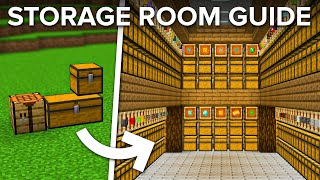
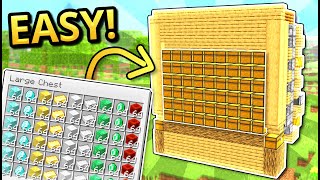
Video: Customizable Combination Item Sorter | Expandable Storage for Minecraft Bedrock by OmLedu
How to build it
- Plan Your Layout and Input
Give yourself clear space for each module you want to include: the universal unloader is 7x11, shulker loaders are 8 blocks deep, and bulk filters and the slot sorter are 7 blocks deep. You can build a universal shulker unloader or simply start with an input chest feeding a hopper line.
- Place Shulker Loader Storage Containers
Decide how many vertical columns of chests or barrels you want for storing full shulker boxes and place them along your front wall. Attach hoppers pointing into the back of every container in the column.
- Build the Lower Shulker Loader Logic
Behind the topmost storage hopper, place a solid block followed by three blocks in a backward diagonal zigzag. Place a repeater facing forward next to the backmost block, a redstone torch on the front of the lower block, two redstone dust behind it, and a target block beside the lower dust.
- Add the Torch Tower and Crafter
Build a vertical torch tower on top of the target block using a redstone torch, solid block, redstone torch, and solid block. At the front of the slice, place a crafter facing backward into a dispenser that also faces backward.
- Route the Shulker Loader Hoppers and Breaker
In front of the dispenser, place a hopper pointing into the space where the shulker box will sit, then feed it from above with a vertical chain of hoppers and a barrel leading down from the top filter level. Beside the barrel, place a downward-facing sticky piston holding an observer looking backward to break full boxes and trigger the dispenser.
- Install the Box Fullness Detector
Place an upper slab under the feeder hopper with a comparator on top reading that hopper into a solid block. Place another solid block above the comparator, a forward-facing repeater in the gap, and a sticky piston on top holding a backward-looking observer.
- Build the Top Item Filter on the Loader
On top of that sticky piston, place a forward-facing repeater powered by a redstone torch on a block behind it, with a solid block in front and above the repeater. Place a glass block above the torch, run three redstone dust down the back, and place a comparator on the front block reading a hopper pointing backward into it.
- Connect the Main Hopper Item Line
Tile as many shulker loader slices side by side as you need, then run a single continuous hopper line directly over the filter hoppers (the ones pointing at the top comparators). Connect this top hopper line back to the output of your unloader or input chest.
- Program the Filter Hoppers and Load Boxes
Use an anvil to rename stackable filler items (stacking to 64) and place 1 in each of the last four slots of every filter hopper, then put 41 of the item you want to sort in the first slot. Load shulker boxes into the dispenser (or load shulker shells and chests into the crafter, leaving one empty slot in the dispenser) and press a button on the dispenser to place the first box.
- Leave a Gap and Begin the Bulk Filters
Skip one full block of empty space after your last shulker loader so broken shulker boxes cannot accidentally hop into neighboring filter hoppers. Place your vertical columns of chests or barrels for bulk single-item storage (or merged two-item storage) and attach hoppers pointing into the back of every container, followed by a solid block and comparator behind the top hopper.
How it works
This storage system processes items through a continuous overhead hopper line that passes over different modular sorting sections in sequence:
- Input & Unloading: Mixed items and shulker boxes enter the input system, where boxes are unloaded and non-stackable items are separated before stackable items travel down the main hopper pipe.
- Overflow-Protected Filter Slices: Each filter hopper contains 1 renamed filler item in slots 2–5 and 41 target items in slot 1. When a 42nd item enters from the overhead line, the comparator signal strength reaches level 3, reaching far enough to depower the locking redstone torch and let the item drop into the storage path below without bleeding signal into adjacent slices.
- Shulker Box Loading & Replacement: Filtered items funnel through a barrel and hopper chain into an accessible shulker box. Once the box fills up and items back up into the feeder hopper, the lower comparator powers a piston-observer mechanism and target-block torch tower. The downward piston pushes an observer to break the full box into the collection hopper while simultaneously pulsing the dispenser (and optional crafter) to place a fresh box.
- Modular Expansion: Items not claimed by the shulker loaders continue along the top hopper line across a 1-block gap into standard single-item or merged bulk filters, and finally into a multi-item slot sorter for overflow and lower-quantity items.
Tips & variations
- Leave a 1-Block Gap After Loaders: Always leave one empty block between your last shulker loader and your first bulk filter. Without this space, roughly 1% of broken shulker boxes can get picked up by the adjacent bulk filter's hopper.
- Crafter vs. Hopper Reservoir: The crafter behind each dispenser is optional. You can load it with a stack of chests and two stacks of shulker shells to hold 64 boxes in reserve (just leave one slot empty in the dispenser), or replace the crafter with a hopper and chest full of pre-made shulker boxes.
- Curving Around Corners: Because only the top hopper line connects the sections, you can arrange slices in a straight line, L-shape, U-shape, or zigzag. Just route the hopper pipe around the corner (3 blocks back from the front chests on bulk filters, or 5 blocks back on shulker loaders).
- Quick Stack Access: Leave the front of the shulker loader open so you can open the active shulker box directly whenever you only need a stack or two instead of pulling a whole box from storage.