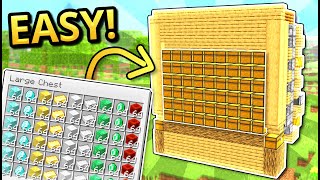
Video: How To Build a Storage Room With Automatic Sorter in Minecraft by Shulkercraft
How to build it
- Choose a Location & Chest Layout
Pick an underground space, a hollowed-out mountain, or a large building where you have room to hide the redstone behind the walls. Decide on your layout—a straight wall or an inward U-shape works best because outer corners waste space behind the chests.
- Place the Storage Chests and Bottom Hoppers
For each sorting slice, stack two double chests on top of each other. Go behind the chests and crouch-place two hoppers pointing directly into the back of both double chests.
- Build the Locking Base
Behind the bottom hopper, place a solid building block, leave a one-block gap, and place a second solid block. Put a redstone repeater in the gap facing toward the chest, then attach a redstone torch to the chest-facing side of the block beside the bottom hopper.
- Add the Upper Redstone Arch
Place three solid building blocks over the bottom row to form a 3-block top bridge directly above the torch, repeater, and back block. On the block closest to the chests (right behind the upper hopper), place a redstone comparator facing away from the chests.
- Install the Filter Hopper and Redstone Dust
Crouch-place a third hopper on top of the upper chest hopper so its nozzle points sideways directly into the comparator (not downward). Place three redstone dust on the three solid blocks behind the comparator to complete one 1-wide tileable module.
- Configure the Item Filter
Use an anvil to rename 4 filler items (that stack to 64) so they never accidentally match anything you drop into the system. Open the top filter hopper, place 1 named filler item in each of the last four slots, and put the item you want to sort in the first slot (it will automatically hold 41 of that item as a buffer).
- Stack a Second Row (Optional)
If you want two rows of sorting modules on top of each other, do not build the upper module directly over the lower filter hopper or items will drain straight down. Instead, shift the upper chests one block forward, raise the upper sorter by one block, and use an extra hopper to connect it.
- Run the Item Transport Line
To feed items across all your filter hoppers, either run a continuous horizontal chain of hoppers above them or build a water stream. If using water, remember water flows 8 blocks max—leave a gap every 8 modules to refresh the stream and use at least two blocks of water before corners to align items against the hopper edges.
- Build the Input Dropper Elevator
Place an input chest at the beginning of your storage room leading into a dropper tower or bubble column. Use a comparator reading the bottom dropper to push an observer clock and fire items up; if feeding into a water stream, pace the dropper with a slightly delayed clock so you don't exceed a hopper's 2.5 items/second pickup speed.
- Add Unsorted Overflow Chests
At the very end of your hopper line or water stream, place several extra double chests with standard hoppers and no comparator filter. Any unstackable items or items without a dedicated filter will safely collect here.
How it works
Each slice of the storage room relies on the impulseSV overflow-proof item filter:
- Locked Rest State: By default, the redstone torch underneath the filter hopper powers the block next to the middle hopper, locking it so items cannot drain into the chests.
- Signal Strength 2: The top filter hopper holds
41of the target item in slot 1 and1named filler item in each of slots 2–5 (45 items total). The comparator reads this inventory and outputs a signal strength of2, which powers only the first two redstone dust and fails to reach the repeater. - Signal Strength 3 (Unlock): When a 42nd target item enters the first slot (46 items total), the comparator output jumps to signal strength
3. The power reaches the third redstone dust, travels through the block below it into the repeater, and turns off the redstone torch for a moment—allowing one item to drop into the storage chests before locking again. - Overflow Protection: Because signal strength
3only travels three blocks, it never reaches strength4to bleed into adjacent slices, making the design completely 1-wide tileable for 64-stackable items.
Tips & variations
- Never skip renaming filler items: Always rename the 4 filter items in an anvil. If you use regular dirt or cobblestone and later throw that block into your input chest, it will stack into the filler slots, raise the signal strength to 4, and break the neighboring sorters.
- Sorting 16-stackable items (Eggs, Ender Pearls, Signs): Items that stack to 16 produce much more signal strength per item. To sort them without overflowing into adjacent slices, you must adjust the filter count and leave a 1-block air gap on both sides of that module.
- Unstackable items: Tools, armor, and potions cannot be sorted with standard comparator filters; let them travel straight to the overflow chests at the end of the line.
- Hoppers vs. Water Streams: Hopper chains are compact and simple to turn around corners, while water streams move items much faster in huge storage halls—just be careful to pace your input dropper so items don't skip past hoppers moving at 2.5 items/second.