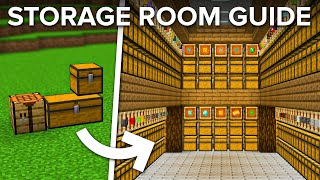
Video: Minecraft MULTI Item Sorting System: Silent, Lagless, Easy, Expandable! by mysticat
How to build it
- Build the Storage Chest Wall
Start three blocks above the ground and place your grid of chests (or sideways double chests / shulker boxes). You can make this wall as tall as you want and expand it sideways in repeatable modules.
- Set Up the First Dropper Column and Base Timer
Go behind the first column, count out five blocks, and place a 3-block line. Stack droppers facing up on the inner block until the pillar is one block higher than your top chest, then build the 7-tick repeater and comparator pulse-extender clock at the base.
- Wire the Master Comparator Decay Loop
From the initial pulse circuit, connect two 1-tick repeaters diagonally into a comparator in subtract mode, feeding a 3-tick, 2-tick, and 1-tick repeater chain. Extend the redstone line out into a loop of eight comparators (four facing one way, four back) to create the master timing cycle.
- Erect the Remaining Dropper Pillars
Behind the chest columns, build vertical dropper pillars facing straight up to one block above the chests: a group of three columns, a one-block gap aligned with the repeaters below, and a group of five columns. Make sure to use droppers rather than dispensers.
- Install the Bottom Return Hoppers
One block above the ground redstone, place the lower hopper network that catches items at the bottom of each column and routes them sideways from column to column toward the next dropper elevator.
- Run Hoppers Behind the Chests
Stack vertical columns of hoppers directly behind every chest, all pointing forward into the chests, up to one block above the top row. Point the very bottom-left hopper sideways so unsorted items continue down the line.
- Build the First Layer of Hopper Stallers
At the bottom of the chest hoppers, place 3-tick repeaters facing into the lowest row of hoppers, with a row of furnaces behind them. Run sideways powered rails across the furnaces (use temporary extra rails on the ends so they align horizontally), then have observers watch the rails and output into another row of 3-tick repeaters.
- Stack the Staller Wall to the Top
Place another layer of observers watching the rails with solid blocks behind them, then repeat the alternating pattern of powered rails, observers, solid blocks, and 3-tick repeaters all the way to the top of your chest wall.
- Connect Top Hoppers and Add Composters
At the top of each dropper pillar, place a dropper facing forward into the top of the chest hopper columns and connect the upper routing hoppers. Place a composter on top of every exposed top hopper to stop them from scanning for free-floating items and reduce lag.
- Wire the Silent Elevator Base Detectors
At the bottom of each dropper pillar, extend two blocks out and place a comparator reading the bottom dropper into a 1-tick repeater and redstone dust. Attach a redstone torch on the outside of the block with a solid block (or Jack o'Lantern to prevent lighting updates) above it.
- Stack the Silent Dropper Elevator Towers
Above the base torches, place upward-looking observers, 4-tick repeaters, and vertical redstone torch towers with torches on both the inside (powering the droppers) and outside of the blocks. Repeat this silent elevator slice up the full height of the dropper pillars.
- Add the Input Elevator and Overflow Chest
On the input side, place your input double chest feeding a 5-hopper line into a dedicated silent dropper elevator that delivers items into the top of the first sorting column. At the far end of the bottom hopper chain, place an overflow double chest to catch unsorted items.
- Link the Base Timer to the Hopper Stallers
Connect the bottom timer redstone to a vertical torch and slab tower on the side of the staller wall, using pairs of 3-tick and 4-tick repeaters plus a 1-tick repeater on slabs at each level to pulse the powered rails in sync.
- Fill Chest Templates and Test
Replace any solid blocks directly over the top chests with stairs so they can open, then fill every slot of your sorting chests with at least one of the items you want routed there (leaving no empty slots). Drop a mixed batch of items into the input chest and verify they silently sort into their matching chests.
How it works
Unlike standard single-item ImpulseSV filters that rely on comparator signal strength, a multi-item sorter routes items past chests whose slots are already completely occupied by the desired item types:
- Slot-Reservation Filtering: Every slot in a target chest is pre-filled with at least one item of the types assigned to that chest. When an item travels down the vertical hopper column behind the chests, a chest can only pull the item in if it already contains a partial stack of that exact item.
- Timed Hopper Stalling: Because vertical hoppers pull items downward faster than they push them sideways into chests, the wall of 3-tick repeaters, powered rails, and observers locks and unlocks the vertical hoppers on a strict cycle created by the comparator pulse extender at the base. This pauses each item long enough for the horizontal push into the chest to happen first.
- Silent Dropper Elevators: When an item fails to enter any chest in a column, it reaches the bottom hopper and is routed into the next vertical dropper pillar. The comparator at the base detects the item and triggers a timed cascade of 4-tick repeaters and dual-sided redstone torch towers, handing the item smoothly up the dropper column without firing empty droppers (which eliminates the clicking noise).
- Lag Optimization: Topping exposed hoppers with composters disables entity checks above them, and placing
Jack o'Lanternblocks inside the torch towers keeps block light at a constant level 15 so redstone torches toggling on and off do not trigger lighting updates.
Tips & variations
- No Empty Slots in Filtered Chests: Every single slot in a sorted chest must hold at least one item. If you leave an empty slot, the very next random item passing down the column will claim that slot. Use renamed filler items to block off unused slots.
- Keep Powered Rails Sideways: When placing rows of powered rails for the stallers, place a temporary rail on each end first so the rails connect horizontally rather than curving vertically.
- Use Droppers, Not Dispensers: Double-check that every vertical pillar uses droppers; dispensers will shoot out or use certain items instead of transferring them into the next container.
- Prevent Top Chest Blocking: If the top redstone or blocks sit directly over your upper row of chests, swap those blocks for upside-down stairs or slabs so the chests can still open.