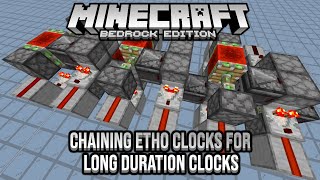
Video: 5 to 60 minute Redstone De-Spawn Clock - Bedrock Edition! by Talmiior
How to build it
- Place the Base and Pressure Plate
Place two solid blocks on the ground with two pieces of redstone dust on top. Use a temporary block to place a raised solid block beside the dust, break the temporary block, and place a wooden pressure plate on top of the raised block.
- Add the Torch and Dropper
Behind the raised pressure plate block, place a solid block with redstone dust on top. Step up one block behind that dust to place a block with a redstone torch on it, place another block above the torch, and attach a dropper facing forward toward the pressure plate.
- Enclose the Item Chamber
Surround the space around the pressure plate and in front of the dropper with solid blocks—two blocks on each side, two on the front, one under the dropper, and one block directly over top. This keeps the ejected item from missing the wooden pressure plate.
- Add Item Storage and Control Lever
For extended run times, place a hopper feeding into the top of the dropper and a double chest on top of the hopper. Place a lever on the back block by the torch, turn it on to lock the clock, fill the dropper and chest with cheap items like sticks, and flick the lever to start the 5-minute timer.
- Space Out Multiple Modules for Longer Timers
To extend the timer up to 15, 20, or 60 minutes, line up multiple modules spaced every 4 blocks apart (12 modules total for 60 minutes). On the first module, move the lever to the top block and mount the redstone torch on the side of its block.
- Build the Comparator Loop and Reset Line
At the start of the line, place a small two-comparator fade clock leading into a block with a redstone repeater for the output. Run another repeater into a block with a side redstone torch and a vertical block column with redstone dust on top to trigger the first dropper when the full cycle finishes.
- Chain the Modules with Torch Towers
Connect the output of each module to the next using an alternating redstone torch tower made of blocks and side-mounted torches. Load every dropper with scrap items; as each item despawns after 5 minutes, its torch flips and triggers the next module in the chain.
How it works
This timer relies on Minecraft's built-in 5-minute item despawn mechanic:
- Single 5-Minute Module: When the redstone torch turns on, it powers the block above it and activates the
dropper, shooting one item onto thewooden pressure plate. - Holding the State: A wooden pressure plate detects dropped items. While the item rests on the plate, it emits a redstone signal through the dust into the block supporting the redstone torch, turning the torch off so no more items are ejected.
- Despawn Trigger: Exactly 5 minutes later, the dropped item despawns. The pressure plate deactivates, the redstone dust turns off, and the redstone torch turns back on—sending an output pulse and immediately firing the next item in a single module, or triggering the torch tower to start the next module in a multi-module chain.
- Chaining Modules: In the multi-module setup, each 5-minute module waits until the previous item despawns before its torch tower inverts and ejects an item into the next chamber, cascading down the line until the final module triggers the comparator pulse expander to restart module one.
Tips & variations
- Must Use a Wooden Pressure Plate: Stone pressure plates cannot detect dropped items. Always use a wooden pressure plate.
- Use Cheap Items: The items ejected onto the pressure plate permanently despawn every 5 minutes. Fill the chests and droppers with easily renewable items like sticks, dirt, or bamboo.
- Scale to Any 5-Minute Increment: Each module adds 5 minutes. Use 3 modules for 15 minutes, 4 for 20 minutes, or 12 for a 60-minute clock.
- One-Off Timer Variant: If you only want a single countdown instead of a repeating loop, remove the feedback reset line at the end and start the first module with a simple button press.
- Chunk Loading Note: Because item despawn timers only tick while the chunk is loaded, this clock only counts time while a player is nearby keeping the area active.