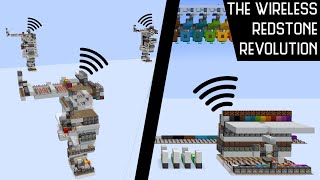
Video: Wireless Redstone, Explanation and Tutorial (Bedrock) by BratWORST
How to build it
- Orient the Receiver Torch Core
Place a solid block and attach a redstone torch on its negative-X (West, toward sunset) or negative-Z (North) side, as this is the side you will take your output from. Place a second redstone torch on the opposite side of that block, then place two solid blocks in an L-shape with redstone dust on top so the torches power each other.
- Add the Auto-Reset Dropper-Hopper Counter
Next to the torch core, place a dropper and a hopper feeding into each other and put 5 non-stackable items (such as wooden shovels) inside. Run a comparator out of the container into a sticky piston, then place two solid blocks so that when the torch flashes upon reloading the world, the piston pushes a block to force the torch back into its dual-off burnt-out state.
- Build the Transmitter Repeater Line
At your sending location, place a row of 8 redstone repeaters with a send lever at the input end. Move two blocks over and one block up to place a parallel row of 8 pistons (regular or sticky) with an obsidian block at the far end.
- Add Transmitter Observers and Torches
Place a row of 8 observers facing toward the repeater line. Attach a line of redstone torches along the back of the observers and another line of redstone torches along the back of the pistons.
- Install Bit Selectors and Powder Snow Dispensers
Place two rows of solid blocks—one along the side and one on top of the repeaters. Leave the first two positions as header bits, place redstone torches, blocks, levers, and indicator lamps on the remaining 6 data positions, and finish by placing a dispenser with a powder snow bucket on top of each of the 8 pistons.
- Build the Receiver Two-Tick Filter
Take the redstone dust output from the negative-X or negative-Z side of your receiver torch core and run it into a line of 5 repeaters feeding into a comparator set to subtract mode. On the side, build an RS-NOR-style torch loop using blocks, redstone torches, a 2-tick repeater, and redstone dust feeding into the side of the subtract comparator so random 1-tick world updates are blocked.
- Build the Receiver Display Line
From the filter output, place an alternating line of 6 redstone repeaters and 6 redstone lamps to match the 6 data bits of your transmitter. Place another repeater beside each repeater in the line to lock or sample the incoming bits.
- Wire the Latch Loop and Reset Button
At the end of the 6-lamp line, place a comparator in subtract mode leading into another two-torch feedback loop that powers a redstone dust line running alongside the side repeaters to lock the display. Finally, place a reset button on a block and wire redstone dust from it to both torch loops to clear the receiver before the next message.
How it works
This wireless system exploits how Minecraft Bedrock manages its internal redstone update list:
- Dual-Off Burnt-Out Torch Core: When a redstone torch powers itself, it flashes roughly 8 times and burns out. By pairing two torches in this specific orientation with a piston block update, both torches enter an invalid off state. Whenever the game's redstone update list changes elsewhere in the world (such as a piston pushing a block), Minecraft re-evaluates the torches, briefly turns the negative-X/Z torch on for 1 tick, and then remembers it is burnt out.
- World-Reload Auto-Reset: Leaving and rejoining the world clears the torch burnout memory, causing the core to flash uncontrollably. As it flashes, it pulses the dropper into the hopper; once 5 non-stackable items accumulate, the comparator extends the sticky piston to re-establish the glitched dual-off state automatically.
- Transmitter Encoding: Flicking the send lever sends a pulse down the 8 repeaters. The first two slots generate a 2-tick start pulse, while the remaining 6 slots either fire or skip their piston/dispenser based on whether each bit's lever is toggled on or off.
- Receiver Filtering & Latching: Because any random lever or piston in the world can trigger a 1-tick pulse at the receiver, the 2-tick repeater and subtract-mode comparator gate stay closed until a 2-tick start header arrives. Once opened, the 6 subsequent bits travel down the repeater-lamp line and trigger the end latch loop, locking the repeaters until you press the reset button.
Tips & variations
- Cardinal Direction Matters: You must take the receiver output from the torch facing negative-X (West) or negative-Z (North). If you build it facing East or South, the update order will not produce the 1-tick output pulse.
- Bedrock Exclusive: This mechanic depends entirely on Bedrock Edition's pending-tick update list and torch burnout behavior; it will not work on Java Edition.
- Preventing Interference: The 2-tick header filter blocks stray 1-tick updates from players flicking levers or single pistons firing, and you can expand the header into a longer ID code if you have multiple receivers in the same world.