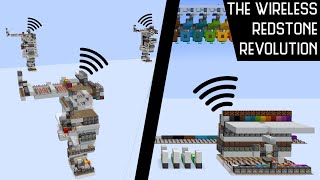
Video: Completely WIRELESS REDSTONE In Minecraft Bedrock Edition!? Endless Possibilities! by silentwisperer
How to build it
- Place a Waterlogged Block
Choose the chunk where you want your wireless system to operate and place a stair or any other waterloggable block. Surround it with trapdoors and use a water bucket to waterlog the block.
- Build an Observer Clock
Somewhere else within the exact same 16x16 chunk, place two observers facing directly into each other so they begin pulsing as a fast clock. Place one piece of redstone dust at the back output of each observer so you can see their state.
- Glitch the Observer Clock
Go back to your waterlogged block and rapidly flick one of the attached trapdoors open and closed about 20 times in quick succession. Stop once you see both redstone dust lines behind the observers freeze in a permanently powered ON state.
- Place the Output Across a Chunk Border
Run the output from your frozen observers across a chunk boundary into an adjacent chunk before connecting your dropper, piston, or redstone contraption. Keeping the active redstone components in a separate chunk prevents their block updates from resetting the glitched observers back into a normal clock.
- Test Your Wireless Input
Update the waterlogged block by flipping a trapdoor, placing a block next to it, or rotating an item inside an item frame attached to it. Each update will wirelessly cause one of the frozen observers in that chunk to briefly turn off and back on.
- Add Extra Inputs or Chain Chunks (Optional)
You can place additional waterlogged blocks anywhere in the same chunk (from bedrock to sky limit) to act as extra wireless buttons. To send signals horizontally across multiple chunks, have the observer output in the first chunk trigger two water sources inside the next chunk to relay the update forward.
How it works
This circuit relies on a Bedrock Edition bug linking water source updates to observer clocks within the same chunk:
- Freezing the Clock: Normally, two observers facing each other create a continuous clock. Rapidly updating a waterlogged block in the same chunk overloads the update order and causes both observers to lock into a permanently powered state.
- Inverted Pulse Output: Once locked, the observers act like a wireless Block Update Detector (BUD). Whenever any water source or waterlogged block in that 16x16 chunk receives an adjacent block update (such as a trapdoor flipping or an item frame rotating), one of the observers briefly turns off and then back on, alternating sides with each trigger.
- Chunk Isolation: The effect is strictly bound to the chunk containing the glitched observers from Y-bedrock to build height. However, direct redstone updates inside the same chunk—or flowing water—can unfreeze the observers and restart the clock, which is why the actual powered machine must sit across a chunk border.
Tips & variations
- Chunk Unloading Issue: When you leave the area or reload the world, both observers will fire simultaneously as the chunk loads. If you hook this up to a critical machine, use a logic gate (like an XOR gate) so that an output only triggers when a single observer pulses, ignoring when both pulse together.
- Avoid Flowing Water & Ocean Biomes: Flowing water inside the chunk will constantly update and break the frozen observer state. Similarly, building this in an ocean biome makes observer clocks sluggish and unreliable.
- Multiple Channels: Because the glitch is isolated per chunk, you can place four separate wireless systems right next to each other if you build them near the corner where four different chunks meet.
- Chaining Chunks: Since the two observers alternate which side fires on every update, use outputs from both sides to update two water sources in the neighboring chunk when building a multi-chunk wireless relay.
- Edition Note: This is a Bedrock-specific bug ("Bugrock") and does not work on Java Edition, nor may it persist in future updates.