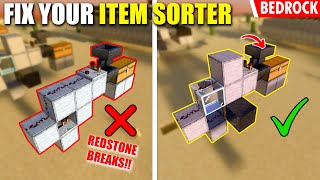
Video: Un-Breakable ITEM SORTER for Minecraft Bedrock 1.21 by Jaype
How to build it
- Place Storage Chests and Output Hoppers
Stack your storage chests in columns for your first sorting slice and attach item frames to the front if desired. Behind the chests, crouch and place hoppers feeding directly into the back of each chest.
- Install the Filter Hopper and Comparator
Place a solid block behind the top chest-feeding hopper, and place a redstone comparator on top of that block facing away from the chests. Behind the comparator, place your filter hopper so its nozzle points directly into the back of the comparator.
- Build the Slice Frame and Piston
Place a solid block directly in front of the comparator. Use temporary blocks to place a glass block diagonally up and back, another solid block below the front block, and a piston below the comparator's block along with one final lower block for the redstone line.
- Expand Slices and Cap with Obsidian
Repeat the chest, hopper, comparator, block, glass, and piston pattern sideways for as many item categories as you want to sort. At the very end of the piston row, place a block of obsidian next to the last piston so the row cannot be pushed out of place.
- Wire the Filter Redstone and Torches
Run three pieces of redstone dust per slice: one on the solid block in front of the comparator, one on the glass block, and one on the lower block feeding the piston. Attach a redstone torch to the side of the block above the bottom hopper so it locks the hopper beneath the filter.
- Rename and Load 44 Filler Items
Use an anvil to rename cheap stackable items (like dirt) so they never match normal items entering the system. Open each filter hopper, place 1 renamed filler item into each of the last three slots, and put a larger stack in the second slot—it will automatically drain down and stop at 45 items total.
- Set the Target Item to Sort
Once the filter hopper drains down and stops at 45 filler items, remove 1 filler item so 44 remain across the rightmost four slots. Place 1 or 2 of the actual item you want that slice to sort into the very first slot (do not put a full stack in at once).
- Run the Top Input Hopper Line
Place a continuous line of hoppers directly on top of all your filter hoppers, pointing from the input side toward an unsorted overflow chest at the far end.
- Add the Input Chest and Dropper
At the start of the top hopper line, place a dropper facing directly into the first top hopper. Attach a hopper and an input chest feeding into that dropper.
- Wire the Auto-Dropper Clock
Build a small platform beside the dropper. Place a comparator reading from the dropper into a repeater, loop redstone dust around into a second repeater pointing back into the side of the dropper, and set both repeaters to a 3-tick delay (click each twice) to feed items safely one by one.
- Add the Blinking Item Indicators
Above each slice's top chest, place an upper slab so the chest can still open. Place a comparator on the slab reading from the top hopper line into a redstone lamp right at the front wall so it blinks whenever items pass through that slice.
How it works
This sorter combines three separate redstone sub-circuits to prevent signal bleed and item overflow:
- Paced Dropper Input: When you dump stacks of items into the input chest, they funnel into the dropper. The comparator detects items inside the dropper and activates a two-repeater clock that pulses the dropper at a controlled pace. By clicking both repeaters twice to slow the clock, items enter the top hopper chain one by one instead of flooding the filters.
- Filter Slice & Torch Lock: Each filter hopper holds 44 renamed filler items across slots 2–5 plus 1 target item in slot 1 (45 items total). At 45 items, the comparator outputs a signal strength that reaches the first dust, keeping the bottom hopper locked via the redstone torch. When a matching item enters from the top hopper line, the count reaches 46 items. The signal strength increases enough to travel through the glass block down to the piston/torch assembly, briefly turning off the redstone torch and unlocking the lower hopper just long enough to pull 1 sorted item into the storage chests.
- Visual Indicator: A secondary comparator reads the hopper pipeline above the chests and powers an adjacent redstone lamp whenever items are actively flowing or being deposited into that column.
Tips & variations
- Always Rename Filler Items: Never use normal un-renamed blocks (like plain dirt or stone) as filler items. If that item accidentally enters the input chest, it will stack inside the filter slots and break the sorter.
- Don't Seed with a Full Stack: When first setting the target item in slot 1 of a filter hopper, only place 1 or 2 items in manually—putting a full stack of 64 directly into the filter hopper can cause signal spillover into adjacent slices.
- Slow Down the Dropper if Needed: If you ever notice items skipping past their slice or breaking a filter, make sure both repeaters on the dropper clock are clicked twice (3-tick delay) to reduce the feed rate.
- Easy Maintenance Access: Leave a small gap or use slabs above the chest line so you can reach behind and open the filter hoppers directly from the front corridor if you ever want to change which item a slice sorts.