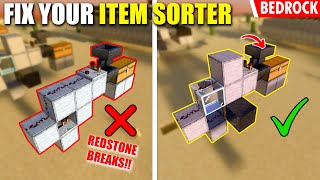
Video: Anti- Overflow Item Storage Stystem! (Minecraft Redstone Tutorial) by EJ Monkey
How to build it
- Place the Disposal Dropper and Hopper
Clear a 4x4 building area. Place a dropper facing the direction where your lava or cactus will be, then crouch and attach a hopper feeding directly into the dropper.
- Build the Auto-Dropper Clock
Place solid blocks around the dropper to support a comparator clock. Run a redstone comparator out of the dropper and right-click it once to turn on its front torch (subtract mode).
- Connect the Clock Repeater and Dust
Have the comparator face into a solid block, then run a redstone repeater out of that block. Loop redstone dust from the repeater back into the side of the comparator and around to power the dropper whenever items enter it.
- Set Up the Storage Chest and Input
Place your main storage chest on top of the hopper that leads into the dropper. Attach your second hopper feeding into the storage chest to act as the main item input from your farm.
- Add the Chest Comparator
Place a solid block behind the storage chest and put a second redstone comparator on it, reading the contents of the chest. Leave this comparator in default compare mode (front torch off).
- Place the Hopper-Locking Torch
Place a solid block in front of the chest comparator with a piece of redstone dust on top. Attach a redstone torch to the side of the block so that it powers and locks the hopper underneath the storage chest.
- Create the Signal Strength Reference Line
Place a second redstone torch near the chest comparator and run a two-block line of redstone dust from that torch directly into the side of the chest comparator. This feeds a signal strength of 14 into the comparator's side input.
How it works
This circuit relies on comparator signal strength comparison and a hopper lock to keep items inside the chest until it reaches maximum capacity:
- Hopper Lock: Under normal conditions, the redstone torch next to the lower hopper stays lit. This locks the hopper below the chest so items stay in storage instead of falling into the dropper.
- Signal Strength 14 Threshold: The second redstone torch outputs a signal strength of 15. Because the redstone dust travels two blocks before entering the side of the chest comparator, the side input receives a signal strength of
14. - Overflow Detection: In compare mode, the chest comparator will not output a signal unless the chest's fullness signal is equal to or greater than the side input (
14). Once the chest is nearly full, the comparator outputs a signal, turning off the hopper-locking torch. - Auto-Disposal: While the torch is off, the lower hopper unlocks and pulls excess items out of the chest into the dropper. The dropper's comparator (set to subtract mode) detects the items and forms a fast clock with the repeater and dust, rapidly spitting the overflow items into lava or onto a cactus until the chest drops below the threshold again.
Tips & variations
- Expanding to Bulk Storage: You are not limited to a single chest. You can run a hopper minecart or additional hoppers underneath the monitored chest to pull items into a large bulk storage system. The monitored chest will only fill up—and trigger the disposer—after your entire bulk storage is completely full.
- Safe Item Destruction: If using lava in front of the dropper, make sure no flammable blocks are nearby. If using a cactus, remember that cactus requires an empty space on all four horizontal sides and must be placed on sand.
- Check Comparator Modes: A common mistake is setting both comparators to the same mode. The dropper comparator must be in subtract mode (front torch on) to create a clock, while the chest comparator must stay in compare mode (front torch off).