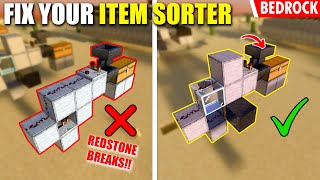
Video: Discover How to add Overflow Protection to your storage in Minecraft! by CuzzaMC
How to build it
- Place the Input Double Chest and Hoppers
Place your top input double chest where incoming items arrive. Attach two hoppers underneath it: one unlocked hopper leading into your main storage silo, and a second hopper leading toward the overflow output.
- Add the Chest Comparator
Place a redstone comparator reading from the double chest and pointing outward. Lay a line of 3 redstone dust from this comparator so it leads into the side of the second comparator you will place next.
- Set Up the Calibration Furnace and Subtract Comparator
Place a furnace next to the overflow hopper line and put a comparator reading out of the furnace, pointing toward a block that powers and locks the overflow hopper. Right-click this second comparator to put it into subtract mode (front torch lit).
- Calibrate the Furnace Items
Put items inside the furnace to set your fill threshold. More items in the furnace create a stronger baseline signal, meaning the double chest must fill up more before the overflow hopper unlocks.
- Attach the Auto-Dropper
Point the locked overflow hopper directly into a dropper. Face the dropper into a lava source to destroy excess items, or into a water stream or bubble elevator to route excess items elsewhere.
- Build the Auto-Dropper Comparator Clock
Behind the dropper, place a comparator reading out of it into a solid block. Place redstone dust next to that block, leading into another block with a repeater coming out of it, and run that signal back into the side of the comparator and into a block touching the dropper.
How it works
This circuit uses two sub-systems: a calibrated comparator subtractor to lock the overflow hopper, and an on-demand dropper clock to eject excess items.
- Normal Operation (Hopper Locked): The furnace holds a fixed number of items and outputs a constant signal through its comparator (set to subtract mode) to lock the overflow hopper. Because the overflow hopper is locked by redstone power, all incoming items flow through the second, unlocked hopper into your main storage silo.
- Overflow Triggered (Hopper Unlocked): When your main storage fills up, items begin backing up into the top double chest. The comparator reading the double chest outputs a signal strength proportional to how full the chest is into the side of the furnace's subtract-mode comparator. Once the chest's signal equals or exceeds the furnace's signal, the subtract comparator's output drops to
0, unlocking the overflow hopper. - Silent Auto-Dropper: Items flow from the unlocked hopper into the dropper. A third comparator detects items inside the dropper and powers a solid block, looping a signal through 3 redstone dust and a repeater back into the comparator and a block powering the dropper. This pulses the dropper rapidly until it is completely empty, at which point the clock shuts off automatically so it never clicks endlessly.
Tips & variations
- Easy Sensitivity Adjustment: Remove items from the furnace if you want overflow draining to begin earlier, or fill the furnace further if you want the double chest to hold a larger buffer before draining.
- Testing with Non-Stackable Items: When testing and calibrating your build, place non-stackable items like bows or tools into the chest and furnace instead of full stacks of 64 to quickly raise signal strength.
- Upcycling Overflow: Instead of firing items into lava, point the dropper into a water stream or bubble column. For example, excess coal from a coal silo can be routed automatically to fuel a furnace array.