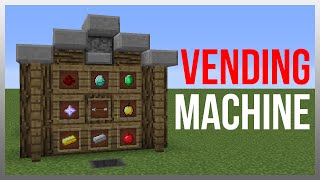
Video: Minecraft Bedrock: Secure Automatic Store! Easy & Custom Vending Machine! MCPE Xbox PC ps4 by silentwisperer
How to build it
- Install the Product Dropper
Clear a 3x9 area (or 4x11 for the 16-64 item version) that is 4 blocks tall. Place an upward-facing dropper near the front below floor level and load it with the product you want to sell.
- Build the Solid Item Elevator Column
Place two layers of solid blocks directly above the dropper and surround those layers in all four cardinal directions. This forces items shot from the dropper to travel straight up through the solid floor to the customer.
- Place the Payment Input
At floor level near the back, place a trapped chest or a barrel where customers will insert their payment. Using a trapped chest prevents items from draining until the customer closes the lid.
- Set Up the Filter and Payment Hoppers
Directly beneath the input chest, place a hopper pointing horizontally into a solid block to act as your item filter. Below that filter hopper, place a second hopper feeding into your secure payment collection chest.
- Wire the Item Sorter
Build the standard item sorter shape behind the filter hopper: place a comparator reading through the block behind the hopper, run two redstone dust forward from it, and place a repeater beneath feeding into a block holding a redstone torch that locks the lower hopper. Configure the top hopper's filter slots with your chosen stackable currency (such as diamonds).
- Connect the 1- or 2-Item Dispenser Line
For a 1-item payout, take a redstone output from the sorter into your upward dropper. To dispense 2 items per payment, run two pieces of redstone dust from the comparator clock output directly into the dropper.
- Expand to 4, 6, or 8 Items (Optional)
To give 4, 6, or 8 items per payment on the 2-item circuit, place 1 to 3 additional upward-facing droppers directly adjacent to the original dropper. Surround all new droppers with solid blocks above them so items still pop straight up through the floor.
- Add a Pulse Extender for 16-64 Items (Optional)
To dispense 16 items per payment, wire a comparator pulse extender behind the sorter using a 1-tick repeater, two side-by-side comparators Loop connected with redstone dust, and another repeater feeding into a comparator in subtract mode. Run the subtract comparator clock output with six redstone dust into the dropper.
- Scale Up to 32, 48, or 64 Items (Optional)
On the 16-item pulse extender circuit, place a second upward dropper next to the first for 32 items, a third for 48, or four droppers total for a full stack of 64 items per single payment. Remember to encase the blocks above every dropper.
- Install the In-Stock Indicator & Auto-Lock
Place a comparator reading one of your product droppers and run two redstone dust into a block. Run a vertical redstone torch tower up to a redstone lamp on the shop wall, and place a redstone torch on the back of the lamp setup that powers and locks the top filter hopper whenever the lamp turns off.
How it works
This shop combines an impulse item sorter with a solid-block item elevator and comparator pulse logic:
- Payment Filtering: When a customer places currency into the trapped chest and closes it, the top hopper pulls the items in only if they match the filter currency. Non-matching items cannot enter the filter, preventing players from cheating the machine with junk blocks.
- Dispensing & Clock Logic: As each valid payment item passes through the filter hopper, the sorter's comparator sends a pulse to the bottom circuit. Depending on how you wire the output (direct pulse, short comparator clock, or comparator pulse extender connected to a subtract-mode comparator clock), the dropper fires 1, 2, or 16 times. Adding up to four adjacent powered droppers multiplies that output up to 64 items.
- Solid Block Elevator: Because the upward-facing droppers are completely surrounded by solid blocks with two solid blocks above them, ejected items have no empty air space inside the floor and smoothly glitch straight up to the shop surface.
- Out-of-Stock Protection: A comparator monitors the product dropper across a 2-dust signal line. Once stock drops below a safe threshold (around 30 items remaining), the signal no longer reaches the block, turning off the indicator lamp and activating a redstone torch that locks the input hopper so no more diamonds can be taken.
Tips & variations
- Single Payment Rule for 16-64 Shops: Because the 16-64 item variant relies on a comparator pulse extender, customers must insert payment one item at a time. Putting multiple diamonds in at once will overlap the pulse extender and dispense slightly over one stack instead of multiple stacks. Put a sign on the shop warning customers!
- Keep Multiple Droppers Balanced: If your shop uses 2 to 4 droppers, always load the exact same number of items into every dropper so they empty at the exact same rate as the dropper monitored by the stock comparator.
- Anti-Theft Security: While anyone with a pickaxe can break blocks, you can deter casual theft by encasing the redstone in obsidian, using a barrel instead of a chest, routing your payment hopper line deep underground away from the counter, or hiding a hopper minecart underneath an empty decoy payment chest.
- Selling Shulker Boxes: The 1-item configuration is ideal for selling pre-filled shulker boxes for high-value currency like diamond blocks.