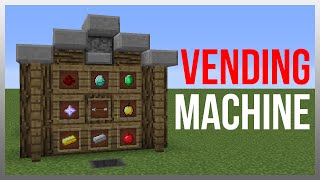
Video: Minecraft: Customizable Redstone Item Shop [Java 1.16+] by
How to build it
- Place the Storefront Barrel and Stock Lamp
Choose your shop wall and place a barrel where players will insert payment and receive goods. Place a redstone lamp directly on top of the barrel to act as the stock indicator.
- Install the Payment Storage and Filter Hoppers
Go two blocks below the storefront barrel and one block to the right, then place your second barrel for collecting payments. Place a solid block on top of this payment barrel, then run two hoppers directly beneath the storefront barrel both pointing to the right (so the bottom hopper feeds into the side of the payment barrel).
- Build the Comparator Signal-15 Detector
Behind the top payment hopper, place a comparator reading it, pointing into a solid block with a piece of redstone dust on top. Place a redstone block directly against the side of that comparator to lock it at signal strength 15, and place a target block next to the redstone block.
- Set Up the Lower Payment Hopper Timer
Behind the target block, place a sticky piston facing the back of the build with a redstone block on its face. Behind that redstone block, place two hoppers pointing into each other to form the payment timer, with a regular piston at the far end facing back toward the sticky piston.
- Wire the Lower Timer and Hopper Locks
Have a comparator read the front timer hopper into the block with redstone dust beside the target block. Have a second comparator read the back timer hopper into a solid block, step the signal up and around with two redstone dust and a repeater, and run repeaters into the top payment hopper and the payment storage barrel to keep both locked while idle.
- Configure the Price and Item Filter
In the front hopper of the bottom timer, place a number of filler items equal to your desired price (for example, 4 items for a price of 4 diamonds). Next, open the top payment hopper under the storefront barrel, place 4 non-stackable items (wooden shovels) in the last four slots, and fill the first slot with 64 of your currency item; it will immediately drain down to match your price setting.
- Add the Trigger Elevator and Output Hoppers
Place a sticky piston facing the lower timer's redstone block so it pushes an upward-facing observer with a solid block on top whenever a payment finishes. Behind the storefront barrel, place a hopper feeding into the barrel, a comparator above that hopper pointing into the redstone lamp, and a stock hopper feeding toward that comparator.
- Drop the Chest Minecart onto the Comparator
Place a temporary block and a rail one block above the stock-lamp comparator, place a minecart with chest on the rail, and break the temporary block so the minecart drops directly onto the comparator. This lets items pass from the upper stock hopper through the minecart and down into the storefront barrel while lighting the stock lamp.
- Build the Upper Reward Hopper Timer
Place a redstone block on top of the stock hopper to lock it, with a sticky piston behind it facing the redstone block (above the observer elevator). To the side of that redstone block, place two hoppers pointing into each other to act as the reward timer, and load your stock hopper with the items you want to sell.
- Wire the Reward Reset Observer
Place a comparator reading the reward timer hopper that sits next to the redstone block, pointing into a solid block with a redstone torch on its side. Have that torch power a sticky piston that pushes an observer into a solid block behind the upper redstone-block sticky piston, retracting the redstone block when the timer finishes.
- Build the Cauldron Multi-Payment Delay
Have an observer watch the lower payment timer hopper and power a sticky piston pushing a water-filled cauldron one block forward. Read the cauldron's extended position with a comparator running into a block with a side redstone torch, and place another redstone torch on the block above the lower locking dust to create a torch-burnout delay that holds the input locked until the cycle completes.
- Set the Reward Amount and Test
In the reward timer hopper, insert filler items equal to one less than the reward count you want to dispense (for example, put 2 items in to dispense 3 items). Drop your payment into the storefront barrel to verify the payout and test dropping a double payment to watch it cycle twice automatically.
How it works
This shop is split into two stacked hopper-clock modules: the bottom payment circuit and the top reward circuit.
- Signal-15 Payment Filter: The input hopper beneath the barrel holds 4 non-stackable items and
64 - Pricecurrency items. A comparator reads this hopper while a Block of Redstone feeds signal strength 15 into its side input. Because the comparator is locked at 15, it outputs nothing until a player inserts enough currency to fill the first slot to 64, bringing the total hopper fullness to 100% (signal 15). - Quasi-Connected Payment Timer: The payment sticky piston is powered by quasi-connectivity through a target block, waiting for a block update. When the filter comparator hits signal 15, it updates the piston, pushing a redstone block across the lower hopper timer. This unlocks the lower payment hopper for the exact time it takes
Nitems to transfer across the timer hoppers, allowing exactlyNpayment items to drain into your profit barrel before locking the input again. - 1-Tick Reward Trigger: When the payment timer finishes and pushes its redstone block back, an observer is moved below the upper sticky piston and fires a 1-tick pulse, spitting out the upper redstone block.
- Minecart Chest Dispensing: With the upper redstone block moved away, the stock hopper unlocks and drains reward items through a Minecart with Chest resting directly inside the same block space as the stock indicator comparator, then down into the storefront barrel. When all items in the upper reward timer finish transferring, a comparator turns off, firing an observer pulse that retracts the redstone block and re-locks the stock hopper. Because of the retraction timing, the system dispenses
Items + 1rewards. - Multi-Payment Burnout Lock: If a player pays for multiple batches at once, an observer and water cauldron circuit triggers a redstone torch burnout clock that keeps the top payment hopper locked until the reward cycle finishes resetting, then immediately lets the next batch of currency drop in.
Tips & variations
- Setting the Reward Count (N - 1 Rule): Always put one fewer item in the upper reward hopper timer than the amount you want to give the customer. For example, for 9 items back, put 8 items in the upper timer; the minimum reward is 2 items (1 item in the timer).
- Minimum & Maximum Ratios: The shop supports ratios from
1:2up to63:321(5 stacks + 1 item). However, if you want players to be able to drop in bulk payments for multiple cycles at once, use a minimum price of 2 items (such as2:2), as a 1-item price is too fast for the multi-payment lock. - Expanding Stock Storage: You can easily expand the shop's stock by pointing an extra hopper into the side of the stock hopper and placing a double chest on top of that side hopper.
- Java vs. Bedrock Note: This build relies on quasi-connectivity, sticky pistons spitting out blocks on a 1-tick pulse, torch burnout timing, and comparator/minecart stacking, so it only works on Minecraft Java Edition (1.16+).