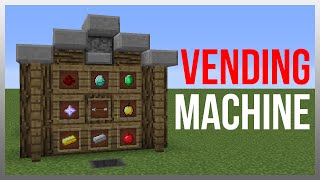
Video: AUTOMATIC VENDING MACHINE TUTORIAL | Single Item with Coin Return! | Minecraft Redstone by
How to build it
- Build the Item Filter Frame
Start below ground level and build the standard item sorter loop using your solid building blocks. From the back of this loop, build a 3-block staircase going up towards the front wall of your shop, adding one final block at the top to reach the product dropper.
- Wire the Filter and Product Line
Place a redstone comparator at the start of the filter line facing away from where the filter hopper will sit. Run redstone dust along the top of the filter blocks into a repeater that powers a solid block at the base of your staircase, then run dust up the staircase to the top.
- Install the Locking Torch and Repeater
In the lower space of the filter frame, place a redstone repeater pointing back toward the front of the machine. Attach a redstone torch onto the side of the block that the filter hopper will sit above so it locks the lower hopper by default.
- Place the Payment and Storage Chests
Place the regular chest at the very bottom front of the filter to collect valid payments. Up at player level on the front wall, place the trapped chest where customers will insert their payment.
- Mount the Product and Coin Return Droppers
Place one dropper high on the front wall facing the customer so the staircase redstone line runs directly into it. Place the second dropper in the floor facing straight up to act as the coin return slot.
- Connect the Four Hoppers
Place the bottom hopper pointing into the underground storage chest. Above that, crouch-place the filter hopper pointing backward into the comparator. Place the top hopper directly under the trapped chest pointing into the coin return dropper, and make sure the overflow path feeds into the coin return dropper.
- Build the Coin Return Auto-Dropper Circuit
Build a small 2x3 platform of solid blocks next to the floor-level coin return dropper. Place a comparator reading the dropper into a block, loop redstone dust around the corner into a repeater, and aim that repeater back into the side of the dropper so any item entering it is immediately fired upward.
- Configure the Item Filter and Stock the Machine
Open the filter hopper (the one pointing into the comparator) and place 18 of your currency item in the first slot, followed by 2, 1, and 18 (or 17, 2, 1, 1 after one drains through) of a rare named or unused block in the remaining four slots. Fill the top product dropper with the items you want to sell, and optionally cover the floor coin return dropper with a piece of carpet.
How it works
This contraption combines a trapped-chest input lock, an impulse item sorter, and an auto-dropper:
- Trapped Chest Hold: While the customer has the
Trapped Chestopen, it emits a weak redstone signal that locks the hopper directly underneath it. Items only drain out once the player closes the lid. - Impulse Item Filter: The middle hopper is pre-filled so its
Redstone Comparatoroutputs signal strength 2. When a valid currency item (such as a diamond) enters the first slot, the total item count reaches the threshold for signal strength 3. - Unlocking & Dispensing: Signal strength 3 reaches the repeater at the back of the filter. This turns off the
Redstone Torchbriefly so one payment item drops into the bottom collection chest, while simultaneously sending a pulse up the redstone staircase to fire one product from the upperDropper. - Coin Return: Any item that does not stack with the filter item cannot enter the middle filter hopper. Instead, it is pulled sideways into the upward-facing floor
Dropper. Its comparator detects the item and powers the repeater loop, ejecting the rejected item straight up through the carpet back to the player.
Tips & variations
- Use Droppers, Not Dispensers: Always use droppers for both the product output and the coin return so items are dropped cleanly as collectibles rather than fired or placed (like water buckets, arrows, or armor).
- Rename Your Filter Filler Items: Name the dummy blocks in the last four slots of the filter hopper on an anvil so a clever player cannot break the filter by tossing in dried kelp blocks.
- Multi-Item Combo Output: To give the customer a bundle of multiple items for a single diamond, place additional droppers right next to the upper product dropper and extend the redstone dust across the top of all of them.
- Bulk Purchases: Because the filter unlocks once per item drained, customers can place multiple diamonds into the trapped chest at once and receive the exact same number of products back one after another.