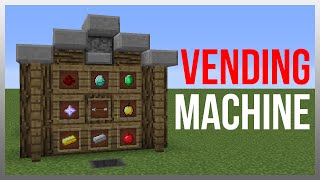
Video: Minecraft PE MUMBO’S LECTERN STORE (PE/Xbox/Windows10/Switch) by The Bow Tie Man
How to build it
- Clear the Area and Place the Lectern Front
Clear an area at least 19 blocks deep and 8 blocks tall (leaving a couple of extra blocks on all sides for working room). Place your lectern on the floor, put a solid block above and behind it with a wooden button on the front, and attach an iron trapdoor so pressing the button flips the trapdoor down over the book.
- Prepare the 30-Page Catalog Book
Take a Book and Quill and fill out exactly 30 pages so that each of your 15 shop items occupies a double-page spread (pages 1–2 for item 1, pages 3–4 for item 2, up to pages 29–30 for item 15). Do not exceed 30 pages, then place the finished book on the lectern.
- Build the 15-Slice Redcoder
Behind the block behind the lectern, place a comparator reading the lectern into a 15-block line of redstone dust. Along all 15 dust positions, build repeating decoder slices using a 1-tick repeater, a vertical redstone torch tower, and a top repeater running into the adjacent slice's block so only one torch turns on per page pair.
- Attach Selector Sticky Pistons
Place solid blocks on top of the output torches along the redcoder and line up 15 upward-facing sticky pistons beside them with solid blocks on their heads. Only the sticky piston corresponding to the active page spread in the book will extend upward.
- Wire the Pulse Extender and Order Lock
Behind the wooden button block, run a repeater into a torch tower and a 4-comparator pulse extender loop. Use a sticky piston to push a furnace containing one filler item in front of a comparator, which drives a 4-tick repeater and a sticky piston holding a block of redstone to keep the iron trapdoor closed while an order processes.
- Create the Order Clock and Observer Bus
Set up two hoppers facing each other with a single item inside to form a hopper clock controlled by the pulse extender torch. Read the hopper with a comparator and an observer, then run a redstone dust line and repeaters across the top of the 15 selector blocks into a row of observers.
- Install the Multi-Quantity Dropper Arrays
Place upward-facing droppers in front of the slice observers, and add extra stacked droppers and observers on specific slices so a single order pulse dispenses 1, 2, 4, 6, 8, 16, 32, 48, or 64 items per purchase. Run a continuous hopper chain collecting from all droppers toward the front output side and surround exposed gaps with glass to prevent items escaping.
- Build the Stock Indicator Light System
On the outer side of the primary droppers, place a comparator reading each dropper into a block and repeater that powers an upward sticky piston. Combine these with the redcoder selector pistons moving blocks of redstone onto a glass-and-block redstone dust line inverted by a torch so the front redstone lamp lights up only when the selected slice has stock.
- Stock the Droppers and Set Up the Delivery Barrel
Fill each slice's droppers with the matching shop items (splitting stacks evenly across slices that use multiple droppers for one order). At the front counter, install the delivery barrel, the inset redstone lamp for the stock light, an upward sticky piston pushing a stair block to lock the barrel, and the final hopper line feeding ordered items into the barrel.
How it works
This shop combines four main sub-circuits tailored for Minecraft Bedrock Edition:
- Lectern Redcoder: A comparator reads the lectern through a solid block. Because the book has 30 pages (15 double-page spreads), turning pages outputs signal strengths 1 through 15. Each slice along the 15-dust line isolates a single signal strength by comparing the current dust level against the next slice, turning on exactly one redstone torch and extending one selector sticky piston.
- Order Lock & Hopper Clock: Pressing the wooden button locks the iron trapdoor over the lectern and triggers a comparator pulse extender and furnace circuit. While active, a locked torch releases a 2-hopper clock that pulses an observer line across the extended selector block.
- Variable Item Dispensing: Slices on the low-quantity side receive fewer pulses or use 1 to 4 synchronized droppers per slice, while high-quantity slices pulse 16 times across 1, 2, 3, or 4 droppers to output 16, 32, 48, or 64 items into the collection hopper chain.
- Stock Indicator Lamp: Comparators check whether each slice's main dropper holds items. If stocked, a sticky piston pushes a block into position so that when that slice is selected on the lectern, a block of redstone powers a dust bus that turns on the front redstone lamp.
Tips & variations
- Keep the Book at 30 Pages: Every item must sit on a two-page spread in a 30-page book so each page turn advances the comparator signal strength by exactly 1. Going over 30 pages will misalign the redcoder.
- Split Stock Evenly in Multi-Dropper Slices: For items that dispense in batches (such as 4, 8, 32, 48, or 64), multiple droppers fire simultaneously on that slice. Distribute your stock evenly across all droppers in that column so the customer receives the full count.
- Use Glass Next to Hoppers: When running the stock-indicator redstone line past the collection hoppers, place glass blocks next to the hoppers so the powered line does not accidentally lock the hoppers.
- Bedrock Edition Timing: This layout is specifically redesigned for Bedrock Edition (PE, Xbox, Windows 10, Switch) to avoid Java quasi-connectivity and handle Bedrock hopper and observer timings reliably.