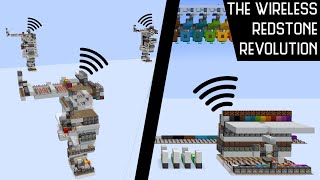
Video: Wireless Redstone Explained: Introduction and Tutorial by Kevbotomy
How to build it
- Mark the Receiver Footprint
Clear a space for the receiver consisting of two 9x16 areas. Seven blocks in from the front edge, mark out the positions across the width where your dropper modules will stand.
- Build the Dropper Modules
A couple of blocks off the ground above each marker, place two droppers stacked vertically, then place a third dropper on the front face of the top dropper. Point a hopper straight into the bottom dropper of each module.
- Install Trapdoors and Amethyst Buds
Attach an iron trapdoor against the side of the upper dropper, sitting right in the top section of the block space above each hopper. Place a glass block above the empty space where items shoot out, attach a large amethyst bud underneath that glass, put a froglight behind the trapdoors to reduce lighting lag, and encase the chambers in glass.
- Wire the Tile Set Frame
Lay out slabs across the back to hold the repeater and comparator tile set that controls sub-tick update order. Extend a slab and glass path outward, replace the corner with a target block to redirect the signal, and run redstone dust across the top.
- Build the Global Daylight Clock
Place an upward-facing observer into a solid block with redstone dust on top, and run two slabs out holding dust and a comparator in subtract mode. Feed two inverted daylight detectors into the comparator line and position a sticky piston pushed by the dust so its extended head periodically covers one detector.
- Connect Trapdoor Timing Repeaters
Underneath the back gap, place a downward-facing observer on each side with repeaters feeding into them and powered rails on top. Place target blocks beneath those observers, run lines of slabs forward up to the froglights, and cover the slabs with repeaters set to 2 ticks.
- Wire the Dropper Recycling Line
Beneath the target blocks, lay out slabs running parallel to the modules and top them with powered rails. Place observers reading those rails and facing directly into the lower droppers so items are cycled back up whenever the clock pulses.
- Add the Logout Stability Pistons
At the back of the build, place an upward-facing sticky piston holding a water-filled cauldron and a horizontal sticky piston holding a redstone block. Run a line of slabs with powered rails underneath the redstone block toward the center, ending with two outward-facing observers.
- Build the Center Rail Staircase
On the front center glass block, place an observer, a sticky piston, and a redstone block. Build a slab staircase descending behind that observer down between the lower rails, lay powered rails down the staircase, and branch slabs with redstone dust out to the side target blocks.
- Wire the Cauldron Delay Line
Take a comparator output from the water cauldron into a 1-tick repeater and a short line of dusted blocks. Run a 4-slab delay chain out of that block loaded with repeaters (set to 3, 3, 2, 2, and 3 ticks) to temporarily lock the receiver while chunks stabilize.
- Assemble the Login Detector Base
Place downward-facing observers beside the lower back piston and an observer facing the upper piston, with solid blocks beneath them feeding a redstone dust and comparator triangle. Place a regular piston on top of the comparator and surround its extension space with glass.
- Add the Frost Walker Armor Stand
Extend the glass housing toward the center with two inward-facing waterlogged stairs to act as water sources. Place a wall block on top of the downward observers (break and replace it to set its state) and stand an armor stand wearing Frost Walker boots inside so it freezes the water upon chunk loading.
- Attach the Signal Detection Comparators
Select pairs of dropper modules for each channel and build slabs up alongside the chambers. Place comparators on the slabs reading the item streams so the receiver can detect when both items fall in the exact same game tick.
How it works
This wireless system relies on two core technical mechanics: sub-tick update order and global item entity indexing.
- Global Synchronization: Both the transmitter and receiver use identical clocks built from inverted
daylight-detectorblocks. Because daylight sensors follow the global world timer, both circuits pulse on the exact same game tick anywhere in the world. - Tile Set Update Order: When powered simultaneously, a
redstone-repeateralways updates before aredstone-comparator. By combining chains of repeaters and comparators into a tile set, the circuit controls the exact sub-tick order in which a line of droppers fires within a single game tick. - Item Falling Timing: On every clock cycle, the receiver shoots two test items against
large-amethyst-budhitboxes (which halt upward momentum immediately) to rest on iron trapdoors. When the trapdoors open, the second item normally begins falling 1 game tick after the first. - Signal Transmission: When you trigger a channel at the transmitter, it dispenses three extra items in the sub-tick window between the receiver's two items. This shifts the global entity processing queue, causing both of the receiver's items to start falling in the exact same game tick. The output comparators detect this simultaneous drop and fire the corresponding channel output.
- Single-Player Stability: Because single-player clients periodically rehash item entities, letting the filler items rest on trapdoors at the same time as the detection items keeps their relative order intact and prevents false triggers.
Tips & variations
- Login Stabilization: When loading into a world or reloading chunks, the armor stand wearing Frost Walker boots immediately freezes the waterlogged stairs, updating the wall and observers to temporarily disable outputs so your ender pearl stasis chambers do not misfire on login.
- Lag Reduction: Use Froglights or another solid light-emitting block behind the iron trapdoors to prevent constant lighting updates when the trapdoors flap.
- Multi-Channel Scaling: Each wireless channel requires three tiles in the update-order tile set, allowing up to 8 independent channels on a standard 24-tile backbone.
- Chunk Loading: If your receiver is built outside the world spawn chunks, pair it with a chunk loader connected to the login detector so it automatically restarts when you rejoin the game.