Video: Automatic Rail Minecart Station for Bedrock and Java Minecraft Versions 1.21+ | Super easy tutorial by XpenSage
How to build it
- Place the Dispenser Base
Place a dispenser facing straight up. Place three non-flammable solid blocks in a row leading away from the dispenser, level with it.
- Set Up the String Observer
Build up two solid blocks on the side of the dispenser platform and place an observer facing across the space directly above the dispenser. Place a piece of string directly in front of the observer's face right now so the toggle state stays synced.
- Add the Copper Bulb
Place a copper bulb directly behind the observer (against its output dot). If your system ever gets out of sync later, simply break and replace this copper bulb.
- Build the X-Pattern Frame
Behind the copper bulb, use temporary blocks to build an X-shaped pattern of solid blocks to hold the toggle wiring.
- Wire the Copper Bulb Reset Loop
Place a comparator on the X-frame facing away from the copper bulb. Place redstone dust in front of the comparator and on the side block, then place a repeater facing back toward the copper bulb set to 2 ticks of delay.
- Connect the Launch & Dispenser Power
Place a solid block next to the dispenser below the wiring. Put redstone dust on top of that block and attach a redstone torch to its side so it powers the dispenser area.
- Add the Hopper Collection Line
For the arrival lane next to the departure lane, place a chain of three hoppers feeding directly into the upward-facing dispenser. Add solid blocks leading up to the hoppers to support the incoming rails.
- Create the Minecart Recycler
At the back end of the hopper line, place a block of Soul Sand, Soul Soil, or Netherrack and light it on fire. Enclose the fire with non-flammable solid blocks so incoming empty carts hit the fire, break, and drop into the hoppers.
- Install the Ejector Activator Rail
Along the arrival block line before the hoppers, break one solid block, place a redstone torch underneath it, and put the solid block back. Place an activator rail on top of that powered block so it lights up.
- Lay the Arrival Track
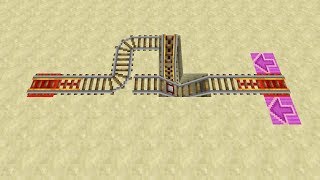
Place regular rails from the activator rail over the hoppers up to the fire, and extend the arrival track out toward your main rail line so the intersection curves into the unloading lane by default.
- Lay the Departure Track & Load Carts
Crouch and place a powered rail directly on top of the upward-facing dispenser (beneath the string), then connect it with regular rails to your main track. Place one minecart onto the powered rail and load extra minecarts into the hoppers (or an attached barrel).
How it works
This station relies on a self-resetting Copper Bulb toggle triggered by the player's hitbox:
- Detection: A minecart waits on an unpowered
powered railon top of the dispenser. When a player enters the cart, their head intersects thestringabove the rail. - Toggle On: The
observerdetects the string change and pulses thecopper bulb, turning it on. - Launch & Restock: The comparator reads the lit copper bulb and powers the redstone dust and torch next to the dispenser. This simultaneously powers the
powered railto launch the rider and activates thedispenserto ready the next cart. - Auto-Reset: The signal also travels through the 2-tick
redstone repeaterback into the block behind the copper bulb, pulsing it a second time to turn it back off once the player has cleared the string. - Unloading: Returning carts travel down the arrival lane over the permanently powered
activator rail, which dismounts the player. The empty cart continues onto the hoppers, breaks on the fire block, and funnels back into the dispenser.
Tips & variations
- Multiple Carts Dispensing: Keep the repeater on a 2-tick delay. If left on 1 tick, the copper bulb turns off before your head leaves the string, causing the observer to re-trigger as you exit and dispense extra carts.
- Out-of-Sync Toggle: If you walk into the string while building or unload chunks mid-cycle, the bulb may invert. Simply break and replace the copper bulb in an off state to fix it.
- Flammable Builds: Remember to use stone or other non-flammable blocks around the Soul Fire/Netherrack. If building with wood, replace the fire setup with a cactus on sand.
- Mob Proofing: Fence off the station if it is near Nether portals or outdoors; wandering mobs can bump into the waiting minecart, take a ride, and drain your cart buffer.
- Extra Storage: The dispenser and three hoppers hold up to 24 minecarts. On busy multiplayer servers, place a barrel or chest on top of the hopper line to expand capacity.