Video: Minecraft - Best Minecart Station 1.16 + - Java & Bedrock Edition -Tutorial by K1 Inc.
How to build it
- Build the Selector Panel Frame
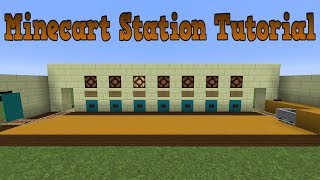
Construct the front wall with a row of 16 Redstone Lamps three blocks off the ground (15 for destinations and 1 on the far left for manual reset). Place a row of solid blocks one block below the lamps with a button on the front of each block.
- Wire the Button Reset Bus
Behind the 15 destination buttons, place a horizontal line of 15 Redstone Dust so pressing any button sends a signal across all channels. Below and behind this dust line, build a checkerboard pattern of blocks to hold another line of 15 Redstone Dust leading into two rows of 15 Repeaters (set the second row of repeaters to 4 ticks).
- Install Dropper Memory Latches
At the end of each 4-tick repeater, place a solid block with two Droppers on top facing directly into each other (30 droppers total across the 15 slices). Put exactly one dummy item (such as a piece of dirt) inside each of the back droppers.
- Connect the Indicator Lamps
Place a Redstone Comparator reading out of each front dropper into a solid block with a Redstone Torch on top. Use a torch tower and two rows of Repeaters running forward on a platform above the droppers to carry the active signal directly into the back of each corresponding Redstone Lamp.
- Add the Manual Reset Circuit
Behind the 16th button on the far left, wire a Repeater and Redstone Dust down to a downwards Sticky Piston pushing an Observer. Route the observer's output up through a Redstone Torch inverter and Repeaters into the shared reset line and across the tops of all 16 lamps so pressing reset clears every latch and flashes the board.
- Set Up the Track Switchers
Behind the 15 selector comparators, place alternating solid blocks topped with Redstone Dust and blocks with Redstone Torches facing forward to invert the signal. Set up your 15 outgoing parallel rail lanes on two staggered tiers (even and odd lanes), placing regular curved Rails at the junctions above the torches so an active signal switches the intersection into that specific lane.
- Wire the Tier-Routing Junction
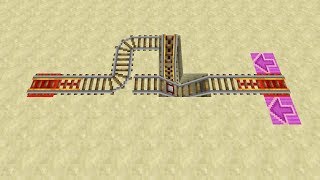
On the right-hand departure track, create a split leading to the lower (odd) and upper (even) track tiers. Run a line of Repeaters picking up the signal from the odd-numbered selector comparators to control the first curved rail intersection, routing the cart either down to the bottom tier or up the ramp to the top tier.
- Build the Departure Auto-Reset
Place a Detector Rail on the departure line just before the track splitter. Underneath that detector rail, run Redstone Dust into a long delay line of Repeaters all set to 4 ticks leading back into the panel's reset circuit, giving the minecart time to clear the junctions before the board clears itself.
- Create the Minecart Dispenser & Launch Block
At the departure bay on the right, place a Dispenser facing up into the starting Powered Rail, fed from below by a vertical pair of Droppers triggered by an auto-dropper comparator clock. Wire the departure launch button to both dispense a cart and pulse a Sticky Piston behind the rail that pops a solid block up behind the cart to push it forward.
- Build the Arrival Ejector & Cactus Recycler
Connect the incoming return tracks to the left-side arrival bay and place a Detector Rail followed by a powered Activator Rail to dismount arriving players. Wire the detector rail to a pair of Sticky Pistons that briefly pull back the floor block and push up a stop-block, dropping the empty minecart down onto a Cactus on Sand where Hoppers collect and feed it right back into the departure storage.
How it works
This station relies on a 15-wide bank of Dropper RS-NOR latches coupled with a shared reset line:
- Single-Selection Panel: Each of the 15 slices holds two droppers facing each other with a single item inside. Pressing any destination button immediately powers the shared 15-dust horizontal bus behind the panel, triggering the lower row of 1-tick repeaters to push any active item back into the rear dropper (resetting the previous selection). A moment later, the pulse finishes traveling through the 4-tick repeater directly behind the pressed button, pulsing the rear dropper to push its item into the front dropper.
- Track Switching: A
redstone-comparatorreads the front dropper of the active slice. It sends power upward to light the frontredstone-lampand backward to toggle aredstone-torchunder the rail junctions. Because 15 tracks sit side-by-side, the junctions are split across an upper and lower deck so adjacent curved rails never accidentally connect to one another. - Departure & Auto-Reset: Pressing the departure button dispenses a cart onto an unbacked powered rail so it sits still until launched, while pulsing a sticky piston behind the cart to give it a solid backing block to push off from. Passing over the outgoing
detector-railtriggers a multi-repeater delay chain that fires the global reset line once the cart is safely down its chosen track. - Arrival Recycling: Returning carts roll over a
detector-railand an activeactivator-rail, which kicks the player out while simultaneously retracting the floor block via asticky-pistonand raising a bumper block. The empty cart drops into an underground cactus chamber, breaks into an item, and travels across ahopperchain back into the departure dropper elevator.
Tips & variations
- Rail Orientation Rule (South-East Rule): Unpowered curved rails default to specific compass directions depending on how your station is rotated. When laying the junction rails, test-toggle the torch underneath first; if a curved rail bends the wrong way when unpowered, invert the repeater or torch feeding that junction.
- Scaling the Station: While the maximum width for a single dust reset bus is 15 destinations (due to the 15-block redstone signal strength limit), you can build the exact same slice pattern as small as 2 destinations wide.
- Java vs. Bedrock Compatibility: Because the selector latches use direct repeater delays rather than quasi-connectivity or 1-tick sticky piston block-spitting, the circuit behaves the same on both Java and Bedrock Editions.
- Keep the Dropper Item Count at 1: Only put a single non-stackable or stackable item inside each back dropper. Putting multiple items inside a latch dropper will keep both comparators/droppers full and jam the indicator light on permanently.