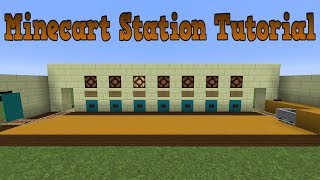
Video: Minecraft: Minecart Station Tutorial - Automatic Launch & Unload by GoodTimesWithScar
How to build it
- Lay the main line and station junction
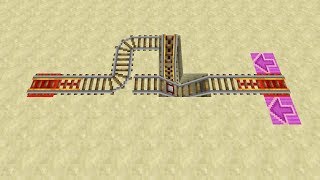
Run your main rail line across the front of the station area and branch a curved standard rail into the station platform to create a T-junction switch. Add two separate tracks inside the station: an arrival track leading from the junction and a departure track leading back out to the junction.
- Build the arrival and departure tracks
Extend the arrival track inward by about 3 to 4 blocks using powered rails. Parallel to it, build the departure track out of powered rails leading back toward the main line switch.
- Install the cart dispenser and stop gate
At the back of the departure track, place a dispenser facing the sloped powered rail and load it with minecarts. Beside the launch spot, wire a pressure plate to both the dispenser and a sticky piston holding a cobblestone wall (or fence) over the track to hold the cart in place.
- Test the pressure plate launcher
Step onto the pressure plate: the dispenser fires a minecart onto the rail while the extended cobblestone wall blocks it from rolling away. Right-click to enter the cart, which releases the pressure plate, retracts the wall, and launches you down the powered rails.
- Wire the direction-select button
Place a button within reach of the boarding platform and run a redstone dust staircase down into the wiring pit beneath the station. Connect this line toward the curved rail junction on the main track.
- Add the repeater pulse extender
Branch the button's redstone line into parallel ladder-like loops of redstone repeaters and redstone dust, setting all repeaters to their maximum 4-tick delay. Place one final repeater at the output of the delay branches and run the wire up to the block under the T-junction rail.
- Add a main-line bypass trigger
Along the main track approaching the station junction, place a trapped chest (or button) at rider eye level wired to the curved junction rail. Opening it as you ride past flips the track straight so you can stay on the main line instead of turning into the station.
- Set up the cactus unloader and hopper return
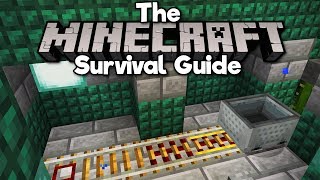
Replace the block under the final rail of the arrival track with a hopper, and run a chain of hoppers from it directly into the minecart dispenser. Just beyond that last arrival rail, place a cactus on a sand block so incoming carts hit the cactus, break into an item, and get collected by the hopper.
How it works
The station combines three independent subsystems to automate minecart travel:
- Boarding & Launch Gate: Stepping on the pressure plate powers the dispenser to spawn a minecart on the sloped powered rail while simultaneously extending a sticky piston with a cobblestone wall. Because the player is still standing on the plate, the wall holds the cart in place. Boarding the cart takes the player's weight off the plate, retracting the wall and letting the powered rail propel the rider out to the main track.
- Repeater Pulse Extender (Direction Switch): By default, the T-junction rail curves in one direction (e.g., right). Pressing the boarding button sends a pulse through multiple parallel branches of 4-tick
redstone-repeaterlines. Because each branch has a longer total delay than the previous one, the pulses overlap at the output and hold the curved rail switched to the opposite direction (left) long enough for you to board and clear the intersection before it resets. - Cactus Breaker & Hopper Loop: Incoming carts entering the station roll down the arrival track and collide with the cactus at the end. The cactus destroys the minecart entity, dropping it into the
hopperbeneath the rail. The hopper pipe transfers the cart back into the dispenser so the station never runs out of carts.
Tips & variations
- Stop the cactus from growing: Place a block or slab two blocks above the sand (directly above the cactus) or carefully route ceiling blocks so the cactus stays 1 block tall, ensuring it doesn't interfere with upper builds—just remember not to place solid blocks directly adjacent to the sides of the cactus or it will pop off.
- Adjusting the turn delay: If the junction flips back before your cart reaches it, add another parallel loop of 4-tick repeaters to the pulse extender; today you can also replace the repeater ladder with a compact comparator decay pulse extender.
- Keep arrival rails powered: Make sure the powered rails leading into the cactus are permanently powered from below with redstone torches or levers so arriving carts have enough momentum to strike the cactus cleanly.