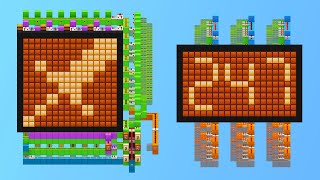
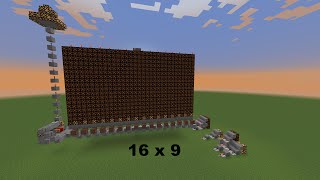
Video: How does my display work? Redstone Tutorial by LPG
How to build it
- Build the Input Inverter
Place your input button on a solid block and run redstone dust into a block holding a redstone torch on the far side. Run two pieces of redstone dust from that torch into a second block with another redstone torch attached to it.
- Add the Circuit Breaker Line
Next to the two redstone dust wires between the input torches, build a vertical glowstone tower with redstone dust on top and a repeater feeding into the line. When powered, this line locks the first torch's signal so the pixel ignores incoming data unless selected.
- Construct the Memory Latch
Place a repeater coming out of the second input torch into a solid block with a torch on it. Across from it, set up a second block and torch, then connect the two sides in a loop using repeaters and redstone dust to form an RS-NOR latch memory cell.
- Wire the Vertical Reset Tower
Alongside the memory cell, build another vertical glowstone ladder carrying redstone dust upward. Run a branch from this glowstone line into the reset side of your RS-NOR latch so a single pulse down the tower clears the stored state.
- Extend the Output Line
From the output side of the memory cell, run a line into a solid block holding an inverting torch. Place a repeater coming out of that torch, followed by a piece of redstone dust and another repeater pointing toward the front of the screen.
- Assemble the 2x2 Lamp Pixel
Run the final output repeater into two solid blocks with redstone torches on their front faces. Place a 2x2 grid of redstone lamps directly in front of these torches (with solid blocks above as needed) so both rows of lamps light up when the torches turn on.
- Stack into a 5x7 Display Panel
Duplicate this 2x2 pixel module horizontally and vertically to form a 5x7 character grid. Tie all the bottom circuit-breaker lines together and all the reset glowstone towers together so the entire character panel can be enabled or cleared at once.
How it works
Each 2x2 pixel unit works as an addressable memory cell composed of four stages:
- Input & Circuit Breaker: The incoming data pulse passes through a double-torch inverter. A vertical glowstone line acts as a gate (circuit breaker) on the middle wire; if the gate is powered, the wire stays locked ON and blocks incoming data from reaching the memory cell.
- Memory (RS-NOR Latch): When the circuit breaker is disabled and an input pulse arrives, the second input torch briefly turns on. This powers a repeater loop with two opposing torches (an RS-NOR latch), flipping its state and locking the pixel ON even after the input button turns off.
- Reset Line: A second vertical glowstone tower carries the reset signal upward. Pulsing this line flips the RS-NOR latch back to its default state, turning the pixel off.
- Output & 2x2 Pixel: The latch output travels through a torch inverter and repeaters into two final torches behind a 2x2 cluster of
redstone-lampblocks, lighting all four lamps simultaneously as one large screen pixel.
Tips & variations
- Vertical Stacking Limit: Because redstone signal strength only travels 15 blocks, the vertical glowstone towers for the reset and circuit-breaker lines can only stack up to 7 pixels high before the signal runs out—which is the exact height needed for a standard 5x7 character display.
- Horizontal Addressing: You can tile as many 5x7 panels side by side as you want. Connect a shift register to the circuit-breaker lines so only the active character slot accepts data from the main character bus.
- Cursor Indicator: You can attach a simple repeater loop clock to the bottom of each panel enabled by the shift register to create a blinking cursor under the currently active character display.