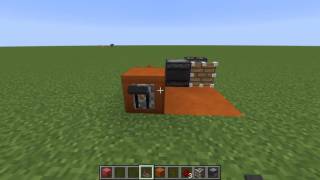
Video: REDSTONE OBSERVER CLOCK : Minecraft Creation Tutorial by AO Minecraft
How to build it
- Place the Observer
Set down one observer on the ground. Make sure you take note of which side is the front face (the detection side) and which side is the back output dot.
- Loop the Redstone Dust
Place redstone dust directly behind the observer's output, then route a short trail of dust around the side so it leads back toward the front face of the observer.
- Connect to the Front Face
Place a piece of redstone dust directly in front of the observer's face to complete the loop. Because placing the dust updates the block space in front of the observer, the circuit will immediately start flashing rapidly.
- Add a Repeater to Control Speed
Break one of the side redstone dust pieces in the loop and replace it with a redstone repeater following the direction of the signal from back to front. This adds delay to slow the clock down, though breaking the wire will temporarily stop the pulse.
- Jumpstart the Clock
To restart the stopped clock, place a redstone torch next to the loop to power the dust and immediately break the torch. This state change triggers the observer and starts the continuous cycle again.
- Connect Your Output
Tap into the clock by placing a redstone lamp (or another redstone component) adjacent to any exposed redstone dust in the loop to watch it blink on and off.
How it works
This circuit relies on a continuous feedback loop created by the observer's block update detection:
- Detection: The observer constantly watches the block space directly in front of its face. Whenever the redstone dust in that space turns on or off, the observer registers it as a block state change.
- Output Pulse: Each time a change is detected, the observer emits a brief redstone pulse from its back output into the connected redstone dust trail.
- Feedback Loop: The pulse travels around the loop, passes through the
redstone repeater(which delays the signal to a manageable speed), and powers the piece of redstone dust right in front of the observer. - Continuous Cycle: As that front piece of dust powers on and then decays back off, the observer detects the changes and fires again, keeping the clock running indefinitely.
Tips & variations
- Ultra-Fast Variant: If you need a rapid-fire clock, skip the redstone repeater and use only a tight loop of redstone dust from the back of the observer to its front.
- Adjusting the Speed: You can click the redstone repeater to cycle through its four tick delay settings, making the blinking pulse slower or faster depending on your build's needs.
- Common Mistake: When replacing redstone dust with a repeater along the side of the loop, the clock will stop because the front dust wasn't updated. Simply flash the line with a redstone torch or update the block directly in front of the observer to get it running again.