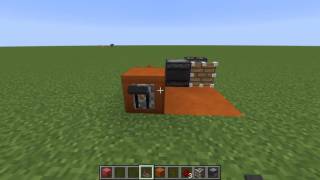
Video: BEST REDSTONE CLOCK FOR DONUTSMP by X1M_gaming
How to build it
- Run the Output Line
Start by placing redstone dust leading directly into the block, dispenser, or mechanism you want the clock to repeatedly power.
- Place the Output Repeater
Behind that output redstone dust, place a redstone repeater facing forward so its signal points directly into the dust.
- Add the Feedback Repeater
Place a second redstone repeater next to the setup, facing the opposite direction (away from the first repeater). Place a piece of redstone dust in front of this second repeater.
- Install the Comparator
Place a redstone comparator inline with your forward-facing path so it feeds into the loop.
- Connect the Redstone Loop
Place redstone dust around the components to connect the comparator and repeaters into a complete circuit.
- Attach the Lever and Activate
Place a lever on the input end of the circuit and flip it on. The signal will begin pulsing rapidly through your output line.
How it works
This circuit functions by feeding a redstone signal back into itself using a loop of repeaters and a comparator:
- Power Input: Flipping the
leversupplies a constant signal of strength 15 into the circuit. - Signal Loop: The forward-facing path pushes the signal toward your output line, while the backward-facing
redstone repeaterroutes that signal back around to the side/back of theredstone comparator. - Rapid Pulsing: As the signal loops around and interacts with the comparator, it continuously interrupts and resets the output, creating a fast, repeating on/off pulse that travels through the front
redstone repeaterinto your target block.
Tips & variations
- Check Comparator Mode: If your clock stays solidly lit instead of flashing, right-click the redstone comparator to turn on its front torch (subtract mode). In subtract mode, the side input subtracts from the rear input, forcing the signal to pulse on and off.
- Adjusting the Speed: You can slow down the pulse rate by right-clicking the redstone repeaters to increase their tick delay.
- Server Lag Friendly: Always turn the lever off when you are not actively using the contraption, especially on SMP servers where constantly running clocks may be restricted or cause lag.