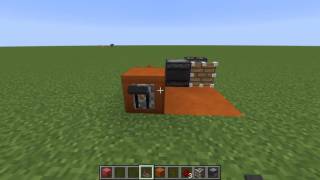
Video: How to Make an OBSERVER REDSTONE CLOCK | Very Simple & Fast (Minecraft Redstone Tutorial) by Drackiseries - Minecraft YouTuber
How to build it
- Place the Sticky Piston
Place your sticky piston on the ground facing the direction where you want the first observer to slide into the clock.
- Attach the First Observer
Place an observer directly in front of the sticky piston's head so that the observer's detection face points toward the piston and its red output dot points away.
- Position the Second Observer
Leave a one-block gap in front of the first observer, then place the second observer facing the opposite direction. When the piston extends, the two observers should end up face-to-face.
- Add a Repeater Output
Place a redstone repeater directly behind the output end of the second observer, pointing away from it to carry the signal to your contraption.
- Connect Your Device and Lever
Place a redstone lamp (or another mechanism) in front of the repeater, then attach a lever directly onto the body of the sticky piston. Flip the lever to extend the piston and start the clock.
How it works
This circuit relies on a continuous feedback loop of block updates between two observers:
- Activation: When you flip the lever, the sticky piston extends and pushes the first observer directly into the face of the second stationary observer.
- Signal Loop: The stationary observer detects the moved observer arriving in front of it and emits a short 1-redstone-tick pulse. That pulse updates the first observer, which immediately fires back into the second observer, creating an endless, rapid cycle.
- Output Pulse: The rear output of the stationary observer continuously pulses on and off. Passing this output through a redstone repeater slightly lengthens and slows the pulse so devices with turn-off delays, like redstone lamps, can visibly flash.
- Deactivation: Flipping the lever off retracts the piston, separating the observers by one block and cleanly stopping the clock.
Tips & variations
- Why Redstone Lamps Stay On: If you place a redstone lamp directly against the observer's output without a repeater, the clock pulses faster than the lamp's turn-off delay. The lamp will appear permanently lit even though it is receiving rapid pulses. Add a repeater to see it blink.
- Maximum Speed for Command Blocks: Command blocks and dispensers do not require the repeater; you can place them directly against the observer's output dot to trigger at maximum speed, or use the repeater to slow the execution slightly.
- Lever Placement: Attaching the lever directly onto the sticky piston keeps the entire build 1-block wide and as compact as possible.