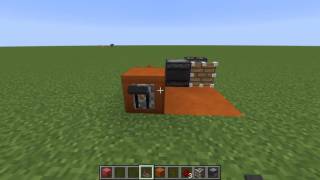
Video: The Fastest Redstone Clock On The Donut Smp by MrChicken
How to build it
- Place the Upward Piston
Dig a single block hole into the ground. Place your piston inside the hole so that the piston head is facing straight up.
- Add the First Observer and Dust
Place your first observer on the ground next to the recessed piston, aligning it so it interacts with the piston. Lay down four redstone dust to begin wiring the loop.
- Install the Lever and Second Observer
Place a lever on the ground directly adjacent to the redstone dust line. Then, place your second observer oriented toward the piston to complete the detection setup.
- Trigger and Connect the Output
Flick the lever twice to jumpstart the clock mechanism. Once it is pulsing, run two pieces of redstone dust out from one of the observers to carry the fast signal to your contraption.
How it works
This circuit relies on a continuous feedback loop between the piston, observers, and redstone dust:
- Toggling the lever twice sends a quick initial pulse into the redstone dust while leaving the line unpowered so the clock can oscillate freely.
- As the piston extends and retracts upward, the adjacent observers detect the rapid block state updates.
- Each observer fires a quick 1-redstone-tick pulse into the connected redstone dust, which immediately cycles power back to keep the clock firing at top speed.
Tips & variations
- Double-Flicking the Lever: If you only flick the lever once and leave it in the ON position, the redstone dust stays permanently powered and locks the piston in place. You must turn it on and immediately off again to start the pulse loop.
- Stopping the Clock: Flip the lever back on to hold the redstone signal constant and pause the piston whenever the machine is not in use.
- Server Lag Note: High-speed piston and observer clocks create rapid block updates and noise. Turn the clock off when you leave the area to avoid causing lag on multiplayer servers.