
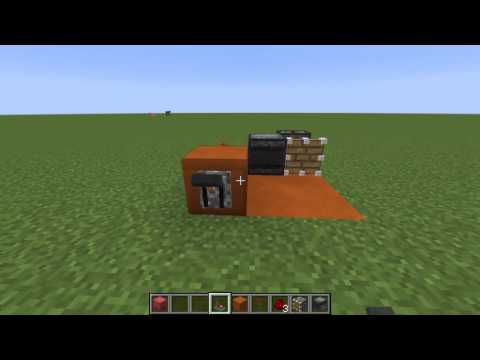
Video: Observer Clock Tutorial by The “Griffy” Griffin
How to build it
- Place the Observer
Start by placing your observer on the ground facing horizontally in any direction. Make sure you know which side is the detection face and which side is the redstone output dot.
- Run the Redstone Line
Place your 3 pieces of redstone dust leading out from the back output of the observer and curving around toward the front face.
- Position the Piston
Place your regular piston at the end of the redstone dust line so that its head faces directly across the front detection face of the observer.
- Add the Toggle Block and Lever
Place your solid building block next to the circuit to act as the power switch base. Attach a lever to any free side of this building block and flip it ON to keep the clock off while you finish building.
- Attach the Redstone Torch and Test
Place the redstone torch on the building block so it locks or unlocks the redstone line when toggled. Flip the lever to turn the clock on and watch the piston fire rapidly in front of the observer.
How it works
This circuit works by creating a rapid feedback loop between the observer and the piston:
- When the observer detects a block update in front of its face, it sends a short 1-tick redstone pulse out of its back output into the 3
redstone-dustpieces. - That pulse powers the piston, causing its arm to extend directly in front of the observer's face.
- As soon as the pulse ends, the piston retracts. The observer detects the piston arm moving and immediately fires another pulse, repeating the cycle endlessly.
- The building block, lever, and redstone torch allow you to hold the redstone line powered (or unpowered), locking the piston in place so the clock stops until you flip the lever again.
Tips & variations
- Always-On Variant: If you do not need an on/off switch, you can omit the lever and redstone torch and simply place a solid block in front of the observer to trigger the loop continuously.
- Immovable Blocks: If you expand this clock to power a sticky piston with a slime block (such as a fast bounce pad), surround the slime block with immovable blocks like obsidian or furnaces so it doesn't grab nearby wiring.
- Noise Warning: Because this clock uses a piston extending and retracting rapidly, it is quite loud while running—keep the lever handy to shut it off when not in use.


