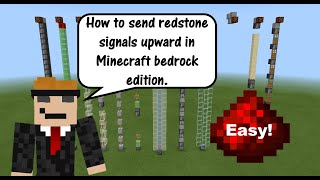
Video: How to Build All the Vertical Redstone (1.19+) | Minecraft Tutorial by CubeProspector
How to build it
- Upward & Downward Torch Towers
To go up, place a base block with a lever, put a redstone torch on top, and alternate blocks and torches directly upward as high as needed. To go down, build a staggered column going down where a block holds redstone dust, a redstone torch is attached to its side, and that torch sits right above the next dust-covered block below it.
- Glass & Slab Dust Ladders (Upward)
Build a staggered 2-block-wide zigzag tower of either glass blocks or top-half slabs, placing redstone dust on top of every step. Because transparent blocks and top slabs don't cut redstone wires, the signal snakes straight up instantly—just add a repeater whenever the signal strength runs out after 15 blocks.
- Observer Towers (Upward & Downward)
For an upward pulse line, place redstone dust on a base block, place an observer facing down into that dust, put a solid block on the observer's output, and repeat the dust-observer-block pattern upward. To send a signal down, reverse the orientation so each observer faces upward into the redstone dust above it and outputs into a block below.
- Slime Block & Redstone Block Columns (Up & Down)
Place a sticky piston facing up (or down for downward transmission) and attach a column of up to 11 slime blocks with a redstone block at the very end. To extend the line further, leave a 1-block gap after the redstone block and place another sticky piston with its own slime and redstone block column.
- Log & Leaf Update Towers (Up & Down)
Place a sticky piston pushing an oak log, leave a 1-block air gap using a temporary dirt block, and stack up to 6 leaf blocks beyond the gap. Place an observer looking at the sixth leaf block so it detects when the log touches the leaves, and stack another sticky piston or output lamp at the observer's back; flip the entire build upside down to send signals downward.
- Tileable Gravity Block Columns (Upward)
Place an upward-facing regular piston on top of your input block and stack 12 gravity blocks (like sand or concrete powder) on top of it. At the top of the column, place a redstone torch next to the top block position and a repeater running out of that space so when the piston pushes the stack up, the top gravity block completes the circuit and powers the next stage or lamp.
- Scaffolding & Trapdoor Tower (Upward)
Place a base block with a lever, put a scaffolding block on top of it and a trapdoor directly next to the base block, then place a second scaffolding block resting on top of the trapdoor. Stack scaffolding as high as you want above that second piece and point an observer at the top scaffolding block to detect the state change whenever the trapdoor opens and closes.
How it works
Each vertical method transmits power using a different Minecraft mechanic:
- Torch Towers: Every redstone torch inverts the power state of the block it is attached to, taking 1 redstone tick (0.1 seconds) per torch.
- Glass & Slab Ladders: Transparent blocks allow redstone dust to travel diagonally upward without being cut, providing instant transmission up to 15 blocks before needing a
redstone-repeater. - Observer Chains: When an input changes state, the
observerdetects the update and emits a quick 1-tick pulse into the next block and dust, chaining pulses up or down. - Slime & Piston Columns: A
sticky-pistoncan move up to 12 blocks at once. By using 11slime-blockpieces and 1redstone-block, the power source is physically shifted to power the next piston or output. - Leaf Distance Updates: Leaves track how far they are from a log block (up to 6 blocks away). When the
sticky-pistonpushes the log into contact with the bottom leaf, every connected leaf updates its distance property, which theobserverat the end detects. - Gravity Block Circuits: A powered
redstone-torchsits adjacent to an air space above 12 falling blocks. When the bottompistonextends, the top sand or powder block shifts into the space between the torch and theredstone-repeater, strong-powering the block and sending the signal through. - Scaffolding Updates: Flipping the trapdoor changes whether the bottom side scaffolding is supported from below or hanging from its neighbor. That block state update propagates all the way up the scaffolding column for an
observerto read.
Tips & variations
- Lever vs. Button on Observer Lines: Because observer towers, leaf towers, and scaffolding lines detect state changes, flipping a lever sends a single pulse, whereas pressing a button sends two pulses (one when pressed, one when it pops back out). Add a T Flip-Flop at the end if you want a button to toggle a machine on and off.
- Server Lag Note: Redstone torch towers cause lighting updates every time the torches flick on and off, which can cause lag on multiplayer servers; dust ladders or observer chains are more server-friendly.
- Tileable Multi-Line Wiring: Use the gravity block (concrete powder/sand) method when you need multiple independent vertical lines right next to each other. Slime blocks and logs/leaves will stick to or update adjacent columns, whereas gravity blocks never interfere with neighboring lanes.
- Survival Building Aid: Use temporary scaffolding or a backing wall when placing downward observers or alternating top slabs, as getting the right placement angle in survival can be tricky.