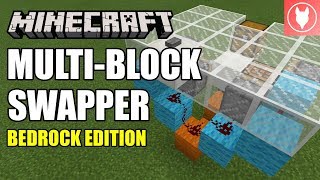
Video: Minecraft: Instant Block Swapper Tutorial (Survival Minecraft) by xisumavoid
How to build it
- Clear a 3×6×4 Space
Dig or clear an area that is 3 blocks wide, 4 blocks deep, and 6 blocks tall. The floor level sits 4 blocks up from the very bottom, and you must leave extra air clearance in front of the bottom slime blocks so they do not grab surrounding walls when extending.
- Place the Bottom Slime Line
At the bottom of the build area, place a sticky piston facing forward with a row of 3 slime blocks extending out in front of its face. Put a regular piston directly on top of that bottom sticky piston, facing the opposite way (toward the back).
- Add the Rear Base Blocks and Dust
Behind the regular piston, place a line of three blocks consisting of a solid block, an immovable block (such as a furnace), and another solid block. Place 2 redstone dust on top of these rear blocks, then place an upward-facing sticky piston next to the side block.
- Install the Redstone Block Piston
Use two temporary blocks above the redstone dust so you can hang a downward-facing sticky piston near the top of the rig with a Block of Redstone attached directly beneath its head. Break the temporary blocks once it is in place.
- Build the Side Slime Assembly
On the side, place a solid block with redstone dust on top and a sticky piston beside it so it extends below the redstone block. Place a slime block on top of that extended sticky piston, two furnaces adjacent to prevent unwanted sticking, a forward-facing sticky piston, and two solid blocks on top of the slime block capped with a tripwire hook.
- Set Up the Dropper-Hopper Latch
For the upper half, place a slab and a solid block above the lower redstone dust, put redstone dust on the block, and run a repeater into the central sticky piston. Above that, place an upward-facing dropper with a hopper pointing straight down into it, and drop 1 random item inside.
- Wire the Comparator Output
Place another slab to support a redstone comparator reading from the hopper/dropper area and pointing into a solid block directly above your lower redstone dust.
- Place the Swapping Pistons
In the middle section, put a dot of redstone dust on top of the inner furnace and place another forward-facing sticky piston directly on top of the first forward-facing sticky piston. At the top front, mount a regular piston facing straight down.
- Load the Swap Blocks and Input Button
Place your two swappable blocks (such as a floor block and a crafting table) into the front swap positions. On the remaining side, place a repeater sitting on top of the furnace pointing into the side block, add a block with redstone dust behind it, and attach your activation button to the front.
How it works
This contraption achieves an instant swap by coordinating zero-tick/fast piston pulses with a slime-block shifting frame:
- Button Input & Dropper Pulse: Pressing the front button triggers the upper wiring and toggles the upward-facing
dropperand downwardhopperpair containing a single item. Theredstone comparatorreads this state change to coordinate the side and bottom movements. - Vertical & Horizontal Slime Shift: The downward-facing sticky piston pushes the
Block of Redstone, powering the lower redstone dust and firing the bottom slime-block line alongside the vertical slime column. - Block Exchange: As the slime blocks shift the storage frame, the stacked forward-facing sticky pistons and the top downward-facing regular piston retract one block out of the floor spot while simultaneously pushing the alternate block into the exact same space.
- Immovable Borders:
Furnacesare placed directly next to the moving slime blocks so the slime only grabs the intended swap blocks and not the rest of the redstone wiring.
Tips & variations
- Clearance Around Slime Blocks: The bottom line of 3 slime blocks kicks out past the front footprint when activated. Make sure there is open air or immovable blocks (like furnaces or obsidian) around every face those slime blocks touch.
- Don't Forget the Item: The upward dropper must have 1 item inside it before you press the button, or the comparator line will never fire.
- Immovable Blocks: Any block that pistons cannot push—such as furnaces, obsidian, droppers, or glazed terracotta in newer versions—can be used for the non-stick buffer blocks.
- Edition Note: This circuit relies on Java Edition piston timing, quasi-connectivity, and instant slime retraction behavior from Minecraft 1.8+, so it will not function the same way on Bedrock Edition.