
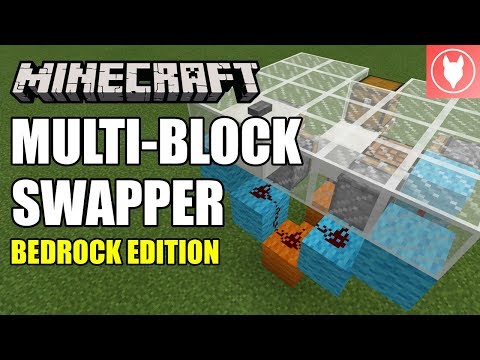
Video: Minecraft Bedrock - Multi-Block Swapper [Floor] Tutorial ( Xbox / MCPE / Windows 10 / Switch ) by Rogue Fox
How to build it
- Prepare the 5x4 pit and vertical sticky piston
Clear a 5x4 area below your floor level. Near the back-center, place two base building blocks and attach a redstone torch to the side, then place an upward-facing sticky piston directly above the torch so it immediately extends.
- Wire the torch inverter
Place two pieces of redstone dust on the blocks next to the redstone torch setup so that an incoming pulse will power the block holding the torch and turn it off.
- Build the side support frames
Using temporary blocks to space them out around the central vertical piston, place supporting building blocks on the left and right sides, stepping up by one block on each side.
- Place the right-side regular pistons
On the right side of the frame, use temporary blocks to position one regular piston facing forward toward the front of the build, and a second regular piston facing left directly toward the central sticky piston.
- Place the left-side pistons
On the left side of the frame, place a sticky piston facing backward (toward the back row) and a regular piston facing right to push blocks into the front row.
- Connect the top redstone dust line
Run three pieces of redstone dust across the raised support blocks behind the pistons to link the main input line to both sides of the feed tape.
- Add the 2-tick repeater on the right
Place a supporting block on the right side leaving a one-block gap leading into the right-side piston. Place a redstone repeater in that gap facing the piston and set it to 2 ticks.
- Add the 4-tick repeater on the left
Create a similar one-block gap on the left side leading into the outer left piston. Place a redstone repeater facing the piston and set it to 4 ticks (full delay).
- Load the three swappable blocks
Place your floor block on top of the extended central sticky piston. Place your second block (such as a chest) one block forward and one block down from the floor block, and place the third block (such as a crafting table) directly to the right of the second block.
- Cover the floor and place the button
Fill in the floor above the circuit so the top of the central block sits completely flush. Place a button on either of the two floor blocks directly above the central redstone dust line to cycle through your blocks.
How it works
This contraption combines a vertical retraction piston with a 4-piston horizontal feed tape:
- Retraction Phase: Pressing the floor button sends a redstone signal into the block supporting the
redstone-torch. The torch turns off immediately, causing the verticalsticky-pistonto retract the current floor block down into the feed tape layer. - Feed Tape Rotation: At the same time, the button pulse travels through the
redstone-dustline to fire the horizontal pistons in sequence. The un-delayed pistons push the newly retracted block out of the way, the 2-tickredstone-repeaterfires the right-side piston to advance the queue, and the 4-tickredstone-repeaterfires last to shift the next block onto the central sticky piston. - Extension Phase: Once the button pulse ends, the redstone torch turns back on and extends the vertical sticky piston, pushing the newly rotated block flush with the floor.
Tips & variations
- Bedrock Exclusive Benefit: In Minecraft Bedrock Edition, tile entities like chests, furnaces, and brewing stands can be pushed by pistons. This does not work with chests or furnaces in vanilla Java Edition.
- Using Anvils: If you include an anvil in your swapper, place solid blocks directly underneath the feed tape path so the anvil does not fall while being pushed around.
- How to Expand: You can cycle 5 or more blocks by widening the horizontal loop. Move the right-side pistons outward and lengthen the redstone line; just make sure to keep the top-right corner slot empty and two slots open on the left side so the feed tape has room to shift blocks.
- Hidden Activation: To completely conceal your hidden storage, break the button after cycling back to your normal floor block.


