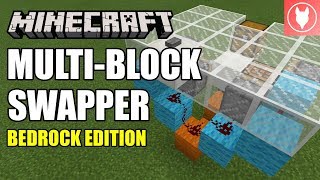
Video: Minecraft Bedrock - Multi-Block Swapper [Wall] Tutorial ( Xbox / MCPE / Windows 10 / Switch ) by Rogue Fox
How to build it
- Place the Bottom Pistons
Clear a 5x4 building area. From the front center, count three blocks back and one block to the left to place a sticky piston facing up, then leave a one-block gap to the right and place a regular piston facing up.
- Build the Circuit Frame
Place a building block raised one block up in the back center between the two pistons. Step up with additional blocks behind and to the outer sides of both pistons to create a stepped frame for your redstone.
- Add the Top Feed Tape Pistons
On the left side above the upward sticky piston, use a temporary block to place a regular piston facing right (inward). On the right side, build up one block and place a regular piston on top facing down.
- Wire the Piston Feed Tape
Place a piece of redstone dust directly in the gap between the two lower upward-facing pistons. Run a repeater set to 4 ticks into the block on the left (sticky piston side) and a repeater set to 2 ticks into the block on the right, then place redstone dust on the raised blocks behind each repeater.
- Install the Display Piston
Place a redstone torch on top of the back-center block. Place your second sticky piston directly above the redstone torch facing forward toward the wall; it should immediately extend.
- Load Your Swappable Blocks
Place your starting wall block directly in front of the extended top sticky piston. Place your second utility block (like a crafting table) above the upward-facing regular piston on the right, and your third block (such as a chest) above the center redstone dust.
- Build the Wall and Trigger Button
Construct your floor and wall flush with the front display block, making sure to place an upside-down or backward stair directly above the swapper slot so chests can still open. Place a button on the wall or floor and run a short line of redstone dust underneath to connect it to the center feed tape dust.
How it works
This contraption combines a 4-piston rotating feed tape with a normally-extended display piston:
- Retraction Phase: Pressing the button powers the central redstone dust and the block holding the
redstone-torch. The torch turns off, causing the top displaysticky-pistonto instantly retract the current block out of the wall and into the feed tape loop. - Feed Tape Rotation: At the same time, the center dust powers both bottom pistons. The bottom-left
sticky-pistonextends and pulls a block down when it retracts, while the bottom-rightpistonpushes its block up. - Timed Push: The 2-tick
redstone-repeateron the right fires the downward piston, and the 4-tickredstone-repeateron the left fires the inward piston, shifting all three blocks by one position clockwise. - Extension Phase: Once the button pulse ends, the redstone torch turns back on, re-extending the top sticky piston to push the newly rotated block flush into the wall.
Tips & variations
- Using Chests in Bedrock: Unlike Java Edition, Minecraft Bedrock allows pistons to push and pull tile entities like chests, trapped chests, and furnaces. Always place a stair block above the display slot so the chest isn't blocked from opening.
- Hidden Storage Trick: Swap to your plain wall block and break the input button when you are done. Without the button, the wall looks completely solid to other players.
- Edition Warning: This exact design relies on Bedrock redstone timing and movable tile entities. In Java Edition, chests cannot be moved by pistons, and the torch/piston alignment may trigger unwanted quasi-connectivity.