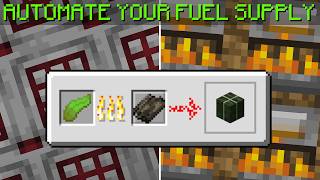
Video: Minecraft 1.21 | Easy Crafting Automation | Universal Crafter Module (Tutorial) by xisumavoid
How to build it
- Place Output Storage and Crafter
Start at the bottom front by placing your output container (such as a barrel or chest) with a hopper feeding into it. Place the Crafter above so that its output ejects directly into your collection container or hopper.
- Build the Bottom Clock Slice
Behind the output storage, take a comparator reading from the output and run it into the lower clock circuit made of a comparator, two repeaters, redstone dust, and a redstone torch that powers the crafter. Attach a lever to the clock and switch it ON to keep the clock locked while you finish building.
- Add the Side Redstone Block and Comparators
Above the clock, place a solid block on one side of the center line and a Block of Redstone on the other side so it supplies a constant side signal to the middle comparator. Then place three comparators facing toward the back—one on the center line and one on each side block.
- Wire the Torch Override Lines
Run two pieces of redstone dust behind each of the three top comparators into solid blocks, placing extra blocks above the middle to stop the three parallel dust lines from connecting to each other. Attach three redstone torches to the back of those blocks so they sit above the clock's redstone dust.
- Install Input Hoppers and Barrels
In front of the three top comparators, place three hoppers—one on top and one on each side—all pointing directly into the Crafter. Place a barrel or chest on top of each of the three hoppers to serve as your ingredient inputs.
- Pre-Stock the Crafter and Hoppers
Open the Crafter, disable any unused slots for your chosen recipe, and fill the active slots with your recipe's ingredients so they are stockpiled inside. Make sure all three input hoppers also contain their assigned ingredients so the top comparators turn off the back override torches.
- Tune the Clock Speed and Activate
Adjust the repeaters in the bottom clock to match your recipe (for example, 2 ticks for fast 2x2 single-item recipes, 5 ticks for 3x3 blocks like dried kelp, or 7 ticks for multi-ingredient recipes). Flip the manual lever OFF to unlock the clock and start automatic crafting.
How it works
The Universal Crafter Module relies on a stockpile method rather than counting individual items into an empty grid:
- Ingredient Stockpiling: All active slots inside the Crafter are kept stacked with items. Because every slot already holds the right item, incoming hoppers can only top up matching stacks and can never put an ingredient into the wrong slot.
- Shortage Protection: Three comparators monitor the three input hoppers feeding the Crafter (top, left, and right). As long as the hoppers have enough items, the comparators output a signal strong enough to reach the blocks at the back and keep the three redstone torches turned OFF. If any single hopper runs low, its comparator signal drops, its back torch turns ON, and that torch powers the clock line below—freezing the clock before the Crafter can run out of an ingredient and accidentally craft a partial recipe (like iron trapdoors instead of iron blocks).
- Overflow Protection: A fourth comparator at the bottom reads the output storage/hopper. If your storage completely backs up, this comparator locks the clock safely until room frees up.
- Customizable Clock: The bottom comparator-and-repeater loop pulses the Crafter at an adjustable rate so the three hoppers always have enough ticks to replenish the Crafter slots between pulses.
Tips & variations
- Adjusting Delay Per Recipe: Every recipe consumes items at a different rate. If you feed the same item through all three hoppers for a 4-item recipe (like Dripstone Blocks), you only need 2 ticks of repeater delay. A 9-item recipe (like Dried Kelp Blocks or Iron Blocks) needs around 5 ticks so three hoppers can push 9 items in between pulses. Recipes with one central item and eight border items typically need 7 ticks.
- Multi-Output Recipes: Recipes that craft 4 items at once (such as crafting 1 block into 4 outputs) can exceed single-hopper collection speed at fast clock settings, causing extra items to pop out into the world. Use a double chest with two hoppers underneath the output or slow the clock down.
- 4 or 5 Ingredient Recipes: Because the base 3x7x5 module has three input hoppers, recipes requiring 4 or 5 distinct ingredients need a vertical hopper chain above one input (pre-filled with the alternating items) plus an extra comparator-and-torch monitoring branch wired into the clock lock line.
- Module Spacing: Leave a 1-block gap between modules if you build several next to each other so the open redstone dust lines on the sides do not cross-connect.