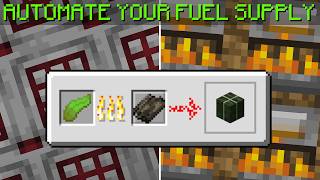
Video: How to Build a Item Sorter with Auto Crafter :: Minecraft Tutorial by CubeProspector
How to build it
- Build the Standard impulseSV Item Sorter Base
Start with the classic item filter setup: a filter hopper pointing sideways into a comparator, running down a 3-dust redstone line into a solid block with a repeater and locking redstone torch underneath. Place a second hopper directly below the filter hopper, pointing down where the crafter will go.
- Configure the Filter Hopper
Open the top filter hopper and place 4 renamed filler items in the four right-hand slots. Place 41 of the item you want to sort and craft in the first slot on the left.
- Design 1 (1-Wide Tileable): Add Copper Bulb & Observer
For farms where items enter one at a time, place a copper bulb adjacent to the filter's bottom repeater block so the repeater powers it. Place an observer watching the copper bulb, sending its output into a solid block behind it.
- Design 1: Wire the Crafter
Run a second repeater out of the observer's output block into another solid block next to your crafter. Aim the bottom hopper straight down into the crafter, and face the crafter into your output chest.
- Optional Double-Crafter Upgrade (Bamboo to Planks)
To perform a two-step craft (like bamboo to bamboo blocks to planks, or bones to bone meal to bone blocks), point the top crafter straight down into a second crafter facing the chest. Replace the solid block by the crafter with a second observer watching the repeater to trigger both crafters simultaneously without locking them with the filter torch.
- Design 2 (Overflow Proof): Extend the Filter Output
If items arrive in big batches that keep the filter signal stuck on, remove the copper bulb setup. Instead, build a C-shape of blocks off the back of the filter, placing redstone dust on the bottom and a repeater on top leading into a sticky piston.
- Design 2: Build the Observer Clock
Attach an observer to the sticky piston's face so that when the filter turns on, the piston pushes it to face a second stationary observer. Have the stationary observer power a solid block directly touching the crafter (or stack two crafters for double-crafting).
- Design 3 (9-Slot Recipe Safe): Lower the Crafter
For items with multiple intermediate recipes (like iron ingots that could craft nuggets, bars, or pressure plates before reaching 9), add one extra downward hopper so the crafter sits lower and completely detached from the sorter's redstone.
- Design 3: Build the Signal Strength 9 Reader
Place a solid block behind the crafter with a comparator reading through it into a copper bulb. Place a composter to the side of that comparator and run a second comparator from the composter into the side of the first comparator.
- Design 3: Set the Composter to Signal Strength 8
Fill the composter with moss or compostable items until it reaches level 8 (just up to the first dark row of pixels inside the composter, one step below full). This prevents the crafter's comparator from outputting a signal until all 9 crafter slots are occupied or locked.
- Design 3: Connect the Firing Loop
Place a comparator reading the copper bulb into a solid block with an upward-facing observer beneath it, and a second observer watching that one to pulse a block and redstone dust line back into the crafter. If the copper bulb is lit after building, toggle it off once with a temporary button so the cycle starts in the off state.
How it works
All three circuits rely on the standard impulseSV item sorter at the top, which holds 41 target items and 4 filter items (signal strength 2). When a 42nd item enters, the signal strength rises to 3, unlocking the bottom hopper so items flow down into the Crafter.
- Design 1 (Copper Bulb Pulse): Each time a single item passes through the filter, the bottom repeater toggles the
Copper Bulb. TheObserverdetects this state change and sends a 1-tick pulse through a repeater to fire the crafter. - Design 2 (Piston Observer Clock): If a huge batch of items enters the filter at once, the filter stays continuously unlocked and Design 1 stops toggling. Design 2 solves this by pushing two
Observersface-to-face with aSticky Pistonwhile items are flowing, creating a rapid clock that pulses the crafter until the filter empties back to 41 items. - Design 3 (Signal Strength 9 Detector): A crafter outputs a comparator signal strength equal to the number of filled or disabled slots (1 to 9). By feeding a
Composterfilled to level 8 into the side of the crafter'sRedstone Comparator, the comparator stays silent for levels 1 through 8. As soon as the 9th slot fills, signal strength 9 passes through, toggles the copper bulb, and triggers the observer pair to pulse the crafter once.
Tips & variations
- Check Your Hopper Direction: When modifying an existing sorter, always make sure the bottom hopper is redirected to point straight down into the top of the crafter rather than forward into an old chest.
- Tiling Design 2: Because Design 2 uses a piece of exposed redstone dust on the back extension, placing multiple Design 2 slices directly side-by-side will cross-power adjacent crafters. Either leave a 1-block gap between slices or only group slices where extra crafting pulses won't ruin recipes. Design 1 is fully 1-wide tileable without interference.
- Custom Recipes in Design 3: Design 3 isn't just for 3x3 blocks! Because disabled slots in a crafter also count toward the signal strength of 9, you can click to lock 7 slots (leaving 2 open for iron pressure plates) or lock 3 slots (leaving 6 open for iron bars) and it will automatically fire as soon as the remaining open slots receive an item.
- Resetting the Copper Bulb in Design 3: Always verify that the copper bulb is unlit (off) when the crafter is empty before turning on your farm, otherwise the firing cycle will be inverted.