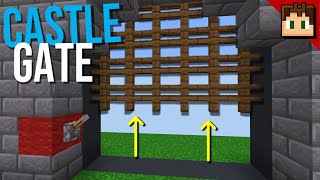
Video: Piston Door Castle Gate EXPANDABLE | Minecraft Tutorial | BEDROCK MCPE XBOX PS by OmLedu
How to build it
- Excavate the pit
Dig a pit that is 6 blocks deep from front to back and 10 blocks wider than your desired gate width (up to 25 blocks wide for a 15-block gate). Dig the front four rows 4 blocks down and the back two rows 3 blocks down.
- Place the bottom triple piston stack
Starting 2 blocks from the front and 2 blocks from the side wall, place three stacked rows of upward-facing sticky pistons matching your gate width. Top the third row of sticky pistons with your floor blocks.
- Run the lower slab and dust lines
Run a line of redstone dust along the ground next to the bottom sticky pistons, and place a row of upper slabs with redstone dust on top right against the middle row of sticky pistons. On the opposite side of the bottom sticky pistons, place another row of upper slabs topped with redstone dust.
- Wire the front timing repeaters
Feed a 4-tick repeater into the ground-level dust line, and place two 1-tick repeaters beside it with solid blocks above and in front of them. Add a 3-tick repeater looping back through solid blocks and connect the top with four redstone dust. On the back slab line, run two 4-tick repeaters into an outward-facing observer that powers that dust.
- Add the fourth sticky piston row and targets
Place a fourth row of upward-facing sticky pistons directly beside the top row of your stack, right above the back slab dust line. Put outward-facing observers on top of these new sticky pistons, a row of target blocks against those pistons diagonally below the observers, and a row of solid blocks with redstone dust diagonally below the targets.
- Finish the bottom triple extender
At the wiring end of the target dust line, place an outward-facing observer with its back against the dust-topped block, fed by a 1-tick repeater and dust from the main circuit. On the opposite side, run a 1-tick repeater from the bottom dust line into a 3-block bridge topped with redstone dust and an outward-facing observer powering the middle dust line.
- Build the copper bulb toggle and pulse circuit
Next to the trigger dust, build the input platform using a comparator in subtract mode feeding into a floating block, with two opposing 4-tick repeaters connected by dust running into its side. Behind it, place a copper bulb reading into a solid block via a comparator, and place a second copper bulb on top of the subtract comparator reading into a diagonally raised block with a redstone torch.
- Construct the gate and align the top pistons
Build your gate on top of the floor blocks up to 8 blocks tall (for example, 7 rows of fences topped with 1 row of solid blocks) and place three rows of downward-facing regular pistons directly on top of the gate. Put a temporary button on the input copper bulb and press it repeatedly until the gate pushes the top pistons up, leaving a 3-block air gap beneath the gate.
- Build the vertical torch tower
Extend a vertical redstone torch tower of alternating blocks and torches straight up from the bottom torch next to the copper bulb until it reaches the level of the top row of downward pistons. Make sure the topmost torch in the tower is in the opposite power state (ON vs. OFF) of the bottommost torch, and place a dropper above it to prevent world-load observer bugs.
- Wire the upper triple piston extender
Place three stepped rows of solid blocks with redstone dust on top along the three rows of downward pistons. At the torch-tower end of the top two rows, place two upward-facing observers with a dropper sandwiched between them, an outward-facing observer reading the top dropper into a 1-tick repeater for the top dust row, and a solid block connecting to the bottom dust row.
- Connect your custom activation inputs
Remove the temporary button and run a redstone dust line from your chosen buttons, pressure plates, targets, or sculk sensors directly into the backmost copper bulb (or a solid block touching it). Keep the input wire separated from the extender wiring, and test the gate to make sure it opens and closes smoothly.
How it works
This castle gate operates by pairing an upward-pushing triple piston extender beneath the floor with a downward-pushing triple piston extender hidden in the ceiling archway.
- Copper Bulb T Flip-Flop: Any pulse sent into the back
copper-bulbtoggles its lit state. A comparator reads this state to switch the circuit between the opening sequence and the closing sequence. - Dual-Edge Pulse & Torch Tower: The subtract-mode comparator and opposing 4-tick repeaters generate a timed pulse whenever the input state changes, while the second copper bulb and alternating
redstone-torchtower invert and carry the state up to the ceiling pistons. - Bottom Triple Extender: When closing the gate (or pushing the door up), the lower repeaters fire the three stacked rows of
sticky-pistonblocks in sequence. The fourth row of sticky pistons lifts a row ofobserverblocks to deliver the final retraction pulses through thetargetblocks and upper slabs. - Top Triple Extender: When opening the gate, the torch tower toggles a
dropperat the top of the build. The upward-facing observers and middle dropper cascade the pulse across the three upper dust lines, firing the downward-facing regularpistonrows in sequence to push the gate back into the floor.
Tips & variations
- World Load Observer Bug Fix: In Minecraft Bedrock, observers looking at active redstone dust can misfire when a chunk or world reloads. Always use a dropper instead of redstone dust at the top of the torch tower for the upper observer to read.
- Fixing Lag & Misfires: If your gate leaves blocks behind in a laggy world, place light sources (like torches) around the underground redstone to stop laggy light updates. You can also increase the delay on every repeater group by 1 tick (and add an extra repeater to the middle maxed-out group) to slow down and stabilize the firing order.
- Lever Locking Mechanism: Connecting a lever to the input copper bulb acts as a toggle-and-lock. Flipping the lever ON toggles the gate and keeps the copper bulb continuously powered, preventing any buttons or pressure plates from operating the gate until the lever is switched OFF.
- Hiding Floor Observers: If you want to blend the row of floor observers into a cobblestone or deepslate pathway, you can place decorative observers in the floor—just do not place extra observers on top of the main sticky pistons facing the same direction with solid blocks behind them, or they will accidentally power the gate.