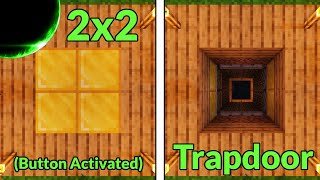
Video: Minecraft 2x2 Redstone Trapdoor - FAST & EASY by DoctorPlasma
How to build it
- Place the Upward Pistons
Find the 2x2 spot where your floor opening will be. Dig down and place 4 sticky pistons facing upward, positioned two blocks below the side walls of the shaft so they sit just outside the 2x2 hole (2 on the left, 2 on the right).
- Add the Side Pusher Pistons
Behind each pair of upward pistons, leave a 1-block gap and place a 2x2 wall of sticky pistons (4 on each side) facing inward toward the shaft. Place your 4 floor blocks on top of the upward-facing pistons.
- Position the Inner Repeaters
Place 2 solid blocks on the ground directly beside the 2x2 shaft, right where the upward pistons will be pushed into. Run 2 redstone repeaters (set to 1 tick) into each of those pairs of blocks so they will power the upward pistons once pushed into the center.
- Wire the Inner Redstone Line
Connect the two pairs of inner repeaters with a line of redstone dust that dips down and wraps around the outside of the 2x2 drop shaft. Make sure this path never breaks or enters the walls of the central drop chute.
- Set Up the Outer Piston Power
Behind the two 2x2 walls of horizontal sticky pistons, place a horizontal row of 2 solid blocks against the back of the upper two pistons on each side. Place redstone dust on top of these blocks to power all 4 pistons on each side via quasi-connectivity.
- Connect the Outer Redstone Loop
Run a trail of redstone dust connecting both outer piston groups around the perimeter, keeping it close to the inner wire to keep signal travel under 15 blocks. Place solid blocks vertically between the inner and outer dust trails wherever they run adjacent to cut off accidental cross-connections.
- Add the 2-Tick Delay Repeater
Near the center of your inner redstone line, place a redstone repeater set to 2 ticks (one click) pulling signal from the inner line and pointing into the middle of the outer redstone loop.
- Invert the Signal and Add a Button
Run an input line into the middle of the inner redstone wire and invert it using a solid block with a redstone torch attached so the trapdoor stays closed by default. Connect a button on the floor above to the block holding the redstone torch, then cover the wiring.
How it works
This trapdoor relies on a classic Jeb door sequence flipped horizontally, combined with strict repeater timing so the pistons extend and retract without breaking the circuit:
- Closing Sequence (Power On): By default, the redstone torch powers the inner redstone line first. Two ticks later, the signal passes through the central 2-tick repeater into the outer redstone loop. The outer 2x2 piston walls extend, pushing the upward-facing pistons and floor blocks into the center of the shaft. As soon as those upward pistons arrive in the middle, they land directly in front of the already-powered inner repeaters and immediately push the floor blocks up flush with the ground.
- Opening Sequence (Power Off): Pressing the button turns off the redstone torch. The inner redstone line depowers immediately, causing the center pistons to retract the floor blocks downward. Two ticks later, the outer redstone loop loses power through the 2-tick repeater, and the side piston walls pull the upward pistons and floor blocks safely out of the shaft.
- Quasi-Connectivity: The 2x2 walls of horizontal pistons are powered by running redstone dust over solid blocks behind the top row, which simultaneously powers both the top and bottom pistons on Java Edition.
Tips & variations
- Accidental Cross-Wiring: When wrapping the inner and outer redstone dust lines around the shaft, always place solid blocks above the lower dust where the two lines run next to each other. This cuts the visual connection and prevents the two loops from bypassing the 2-tick repeater.
- Faster Closing Trap: Use a stone button (10 redstone ticks) instead of a wooden button (15 redstone ticks) if you want the floor to snap shut before players can react.
- Close-Up Button Alternative: Instead of a redstone torch inverter, you can place a downward-facing sticky piston holding a redstone block right above the inner dust line. Powering that piston from a nearby floor button pushes or pulls the redstone block to toggle the door directly under your feet.
- Java vs. Bedrock: This layout relies on quasi-connectivity to power the bottom row of the 2x2 horizontal piston walls, so it works as shown on Minecraft Java Edition.