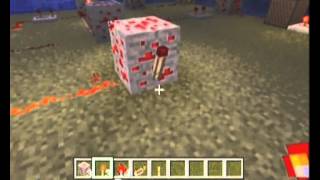
Video: Simple Redstone Clock- Minecraft Bedrock Edition (MCPE) by LegitSkunk5
How to build it
- Place the Base Block and Torch
Place one solid building block on the ground. Attach a redstone torch to one of the sides of this block.
- Add the Redstone Repeater
Place a redstone repeater directly in front of the redstone torch, making sure the repeater is facing away from the torch so it receives its power.
- Loop the Redstone Dust
Lay a trail of redstone dust coming out of the front of the repeater. Route the dust around the side so that it leads all the way back into the solid building block holding the torch.
- Adjust the Pulse Delay
Once the dust connects back to the block, the clock will immediately start flashing. Interact with the redstone repeater to change its tick delay and control how fast or slow the clock pulses.
How it works
This circuit works by creating a continuous feedback loop using the inverting property of a redstone torch:
- Power On: By default, the redstone torch is lit and sends power into the redstone repeater facing away from it.
- Signal Loop: The repeater delays the signal slightly before sending it into the trail of redstone dust, which wraps around and powers the solid building block.
- Inversion: When the solid block becomes powered by the dust, it forces the attached redstone torch to turn off.
- Reset: With the torch off, the repeater and dust lose power, unpowering the block. This allows the torch to turn back on and repeat the cycle endlessly.
Tips & variations
- Adjusting Speed: Tap or right-click the repeater to cycle through its 4 delay settings. A longer delay on the repeater creates a slower, steadier pulse and prevents the redstone torch from burning out.
- Common Mistake: If the circuit stays solid red and does not flash, check your repeater orientation. The repeater must face away from the torch, and the redstone dust must run directly into the block, not the torch itself.
- Turning It Off: You can attach a lever to the solid building block and flick it on to lock the clock in the off state whenever you aren't using your farm.