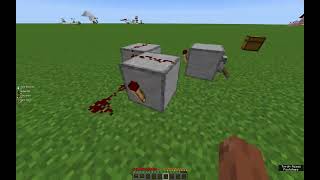
Video: Minecraft 3 Clock Circuit (no burn out) tutorial by Dolcer24 Productions
How to build it
- Place the First Block and Torch
Set down your first solid building block on the ground. Attach a redstone torch to one side of this block.
- Lead Dust to the Second Block
Place at least two pieces of redstone dust on the ground leading directly away from the first redstone torch. At the end of this dust line, place your second building block.
- Add the Second Torch and Dust Line
Attach a second redstone torch to the far side of the second block—it should immediately turn off because the first torch is powering that block. Lay two more pieces of redstone dust leading away from this second torch.
- Place the Third Block and Torch
Place your third solid block at the end of the second redstone dust trail. Attach the final redstone torch to the side of this third block.
- Add a Repeater to Prevent Burnout
Begin connecting the third torch back around to the first block using a trail of redstone dust, leaving a one-block gap along the wire. Place a redstone repeater into that gap following the flow of the loop, and adjust it to the third delay setting (3 ticks).
- Complete the Circuit Loop
Finish laying the redstone dust so the signal from the third torch feeds directly into your very first building block. The clock will start pulsing continuously without burning out.
- Install the On/Off Lever
Place a lever on one of the building blocks, on the ground right next to the redstone dust, or on top of a wall block placed directly above the dust line. Flipping the lever on forces a constant signal into the loop, pausing the clock until you flip it off again.
- Connect Your Output Device
Run an extra line of redstone dust outward from any edge of the loop to power your chosen contraptions, such as pistons, redstone lamps, or arrow dispensers.
How it works
This circuit operates on the principle of an odd-numbered inverter loop (a 3-torch ring oscillator):
- Signal Inversion: Each solid block and attached
redstone-torchacts as a NOT gate. When the redstone dust running into a block is unpowered, its attached torch stays ON. When the dust powers the block, the torch turns OFF. - Continuous Loop: Because there are three torches arranged in a closed circle—an odd number—the circuit can never settle into a stable static state. Each torch constantly flips the state of the next torch in line, sending a wave of pulses around the loop.
- Burnout Prevention: In Minecraft, a redstone torch that toggles on and off too rapidly in a brief window will hiss and burn out temporarily. Inserting a
redstone-repeaterset to the third setting slows the cycle down just enough so that none of the torches exceed the game's burnout threshold. - Manual Override: Flipping the
leverinjects a permanent ON signal into one side of the loop, locking the subsequent torch in the OFF state and cleanly freezing the clock.
Tips & variations
- Adjusting the Clock Speed: If the pulsing is still too fast for your pistons or lights, you can replace additional pieces of dust in the return wire with more repeaters to slow the loop down further.
- Hiding the Wiring: You can build a wall completely enclosing the 3-clock to hide it from view. Place a block directly over one of the redstone dust lines and attach your lever to that wall block; powering the block will transmit the signal down to the dust below and stop the clock cleanly.
- Contraption Ideas: Hook the output line up to lighting for a starship "Red Alert" beacon, wire it to regular or sticky pistons for moving combat-room floors and engine animations, or attach it to a dispenser filled with arrows for an automatic turret.