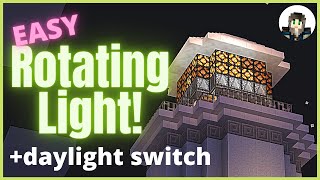
Video: Minecraft Tutorial: Redstone Night Lights by FieldGamers
How to build it
- Place Your Redstone Lamps
Decide where you want your lights and place your Redstone Lamps at ground level. A simple straight line along a pathway or around a build is the easiest layout to wire.
- Excavate an Underground Wiring Room
Dig out a working space underneath your lamps at least two to three blocks deep so you have room to run redstone lines beneath the surface.
- Install Redstone Torches Under the Lamps
Directly beneath each Redstone Lamp, place a solid building block with a Redstone Torch on top of it (or positioned so the torch directly powers the lamp above). The lamps will turn on by default.
- Add the Daylight Detector
On the surface nearby, place one or more Daylight Detectors where they have a clear view of the sky. You can place several symmetrically so they blend into your build.
- Tap the Signal Below the Detector
Go underground directly beneath your Daylight Detector. Place Redstone Dust one block below the detector and step the line down another block to enter your wiring tunnel.
- Connect the Line to Each Torch Block
Run a trail of Redstone Dust from the detector line directly into the solid blocks holding your Redstone Torches, or place a Redstone Repeater pointing into each torch block.
- Extend Long Lines with Repeaters
If your pathway is long or your Daylight Detector is far away, place Redstone Repeaters along the dust line before the signal dies out so every torch block receives power during the day.
How it works
This contraption relies on signal inversion (a basic NOT gate) beneath every lamp:
- Default State (Night): A
Redstone Torchplaced on top of a solid block underneath eachRedstone Lampis naturally turned on, powering the lamp above it when no other signal is present. - Daytime Inversion: When the sun is out, the
Daylight Detectoremits a redstone signal into the dust beneath it. That signal travels through the underground wire (and anyRedstone Repeaters) directly into the solid blocks holding the redstone torches. - Switching Off and On: Powering the block that a redstone torch rests on turns the torch off, which turns the lamp off during the day. As the sun sets, the daylight detector's signal weakens and stops reaching the torch blocks, allowing the torches to turn back on and light up your lamps for the night.
Tips & variations
- Staggered Sunset Effect: If you wire some lamps slightly farther from the Daylight Detector without repeaters right at the start, the weaker evening signal will drop off at the farthest lamps first, causing your lights to turn on progressively as dusk falls.
- Common Mistake: Do not run redstone dust right next to the Redstone Torch itself—the torch will just power the dust permanently. Always run your incoming dust or repeater into the solid block that the torch is sitting on.
- Modern Version Note: This tutorial was built using classic Daylight Sensors. In newer versions of Minecraft, you can right-click a Daylight Detector to invert it into night mode, though using the torch inverter method shown here still gives a great strong output directly under each lamp.