
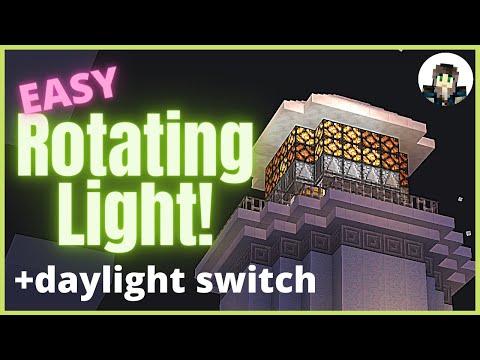
Video: How to Make Rotating Lights in Minecraft Java and Bedrock - with daylight switch by Dreymasmith Dreams
How to build it
- Mark Out Your Circle Footprint
Outline the perimeter of your lighthouse lantern room using temporary contrasting blocks so you can clearly see the straight sides and corners.
- Place the Base Observer Ring
Along each straight edge of your shape, place observers in a line one behind another. Make sure every observer arrows in the exact same clockwise or counter-clockwise direction around the loop.
- Add Upward-Facing Observers
Stand on top of the base ring and place a second layer of observers directly on top of the first layer, with their faces looking down and their red output dots pointing straight up.
- Stack the Redstone Lamps
Place a ring of redstone lamps directly on top of the upward-facing observers. Add a second row of redstone lamps on top of the first row; the strong power from the observers will light both layers.
- Connect the Corners with Redstone Dust
Place a dot of redstone dust at each corner to bridge the output of one straight line of observers into the face of the next line. As soon as you place the final corner dust, the pulse will begin rotating continuously.
- Expand to Larger Circles (Optional)
For circles with diagonal corner steps, place an observer on the corner blocks facing the rotation direction and put redstone dust on the empty gaps between them. Then crouch-place upward-facing observers on top of both the base observers and the redstone dust dots so every column still gets a lamp.
- Expand to 4 Lamps High (Optional)
To power a 4-block-tall light wall, add two more rows of lamps on top, place temporary blocks above them, and build a mirrored horizontal observer loop on top. Remove the temporary blocks, place downward-facing observers underneath the top loop pointing into the top lamps, and use top slabs or full blocks at the corners to hold the connecting redstone dust.
- Add a Daylight Switch (Java Only) or Manual Lever
For a manual switch, simply attach a lever pointing into one of the corner redstone dust dots and flick it on to freeze the loop. For an automatic Java Edition night switch, leave a two-block gap out from one base observer, place a sticky piston facing that observer, and power it through an observer, a repeater, and a daylight detector toggled to night mode so it pushes the observer into place at sunset and retracts it at dawn.
How it works
The circuit works by turning the lighthouse ring itself into a self-sustaining observer clock:
- Horizontal Loop: Each base observer detects state changes in front of it and emits a short 1-redstone-tick pulse out its back. At the corners, a single piece of
redstone dustcarries that pulse around the bend to trigger the first observer of the next side. - Vertical Lamp Power: The second layer of observers looks downward at the base ring. Whenever a pulse passes through a base observer (or corner dust in larger circles), the vertical observer above it detects the change and fires a pulse upward into the bottom
redstone lamp. - Two-High & Four-High Powering: Because an observer strongly powers the redstone lamp directly in front of its output dot, that bottom lamp also activates the adjacent lamp directly above it, giving you a 2-block-tall beam. Repeating the observer array upside-down on the roof powers layers 3 and 4 from the top down.
- Daylight / Manual Cutoff: Either locking a corner redstone dust dot constantly ON with a
lever(so it stops changing state) or using asticky pistonto pull one observer out of the ring breaks the update loop and stops the light.
Tips & variations
- Java vs. Bedrock Edition: The basic 2-high and 4-high rotating observer lights work in both Java and Bedrock Edition. However, the piston-based daylight switch shown at the end relies on Java sticky piston behavior to spit out/retract the observer cleanly on a pulse and is listed as Java only.
- Fixing Multiple Beams: On larger circles, placing the corner dust too slowly can spawn two or more pulses chasing each other. To reset to a single beam, break one corner redstone dust, wait for all lamps to turn completely off, and place the dust back.
- All Lamps Stuck On (Chunk Borders): If the light ever speeds up and freezes completely lit after unloading and reloading the area, rebuild the ring so the entire loop sits inside a single 16×16 chunk, or break and replace one corner dust to reset it.
- Sky Access: If you hide the daylight detector inside the roof of your lighthouse, extend the redstone line slightly so the sensor still has an unobstructed view of the sky.


