
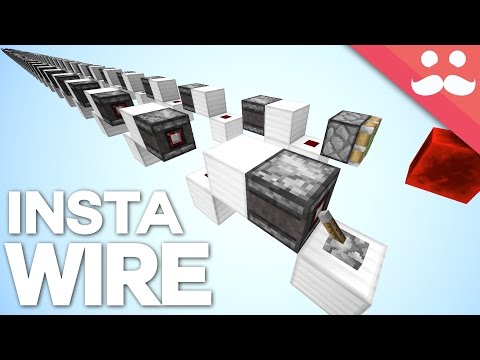
Video: How To Build INSTANT REDSTONE WIRE in Minecraft 1.11! by Mumbo Jumbo
How to build it
- Set Up the Horizontal Input
Place a solid block with a lever on top of it to act as your input. Place an observer next to the lever so that its detection face is looking directly at the lever.
- Build the First Horizontal Segment
Place a solid block directly behind the output end of the observer. Place another solid block right next to it and put a piece of redstone dust on top so the observer powers the block and lights the dust.
- Extend the Horizontal Line
Place the next observer so its detection face looks directly at the redstone dust you just placed. Add a solid block at its output, followed by another block with redstone dust on top, and repeat this pattern for as long as you need.
- Turn a Corner
To make a 90-degree turn, simply place the next observer on the side of the last redstone dust so its face detects that dust. Continue the pattern of output block and redstone dust in the new direction.
- Start an Upward Vertical Wire
To send a signal straight up, start at the top by placing your output sticky piston with a block of redstone on its face. Place an observer underneath so its detection face points downwards and its output powers the piston at the top.
- Extend the Upward Tower Downwards
Build a couple of temporary blocks straight down from the observer's face, place a solid block with redstone dust right below the observer's detection face, and place another downward-facing observer beneath that block. Repeat this vertical pattern all the way down to your input.
- Build a Downward Vertical Wire
To send a signal straight down, start at the bottom near your output sticky piston and build upwards. Alternate an upward-detecting observer, a solid block above its face, and redstone dust on top, then place a lever at the very top to update the top dust.
How it works
This circuit relies on how the observer block functioned when first introduced to Java Edition in snapshot 16w39a:
- Zero-Tick Detection: When you flick the input lever or change the state of a piece of redstone dust, the observer looking at it detects the block update and fires a brief redstone pulse in 0 ticks.
- Chaining Signals: That 0-tick output powers a solid block, which immediately powers the next piece of redstone dust in line. The next observer detects that dust changing and fires in 0 ticks as well. Because every link in the chain takes 0 ticks, the entire line activates instantaneously regardless of length.
- Output Toggle: Because the observer emits a short pulse, a sticky piston at the end of the line will spit out its block of redstone on the first flick and retract it on the next update.
Tips & variations
- Snapshot Version Note: This 0-tick instant observer chain is specific to the Minecraft 1.11 snapshot
16w39ashown in the video; in later versions of Minecraft, observers were given a 1-redstone-tick (2 game ticks) delay. - Build Direction Matters: Because observers are directional depending on how you look at them while placing, always build upward wires from the top down and downward wires from the bottom up.
- Dual-Edge Pulses: Remember that when a piece of redstone dust turns on and then immediately off, an observer watching it may detect the change, so using a lever to create single state changes keeps the output predictable.


