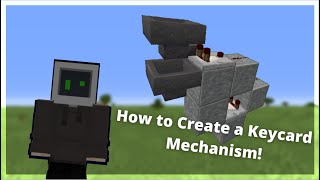
Video: Key-Access Redstone Door :: Awake in class by Will Awake
How to build it
- Place the Door and Dropper Floor
Place your Iron Door in the wall frame. Directly in front of the door, dig down one block into the floor and place a Dropper facing straight up, then put a Heavy Weighted Pressure Plate (or any wooden/gold pressure plate) on top of the dropper.
- Add the Decorated Pot Reader
Next to the door frame, one block above the floor, place your Decorated Pot so players can easily right-click it. Directly underneath the pot (at floor level, adjacent to the dropper), place a Hopper pointing horizontally into the Dropper.
- Read the Pot Through the Wall
Ensure there is a solid wall block directly behind the Decorated Pot. Behind that solid block, place a transparent block (such as Glass or an upper slab) and set a Redstone Comparator on top of it reading out from the wall block into another solid block in front of it.
- Step the Redstone Signal Down
Place a block one tile down and behind the solid block the comparator points into (diagonally down from the comparator output block) and put Redstone Dust on it. Then place a second dust one block closer toward the hopper so the line can measure a signal strength of 2.
- Lock the Hopper with a Target Block
Next to that second piece of redstone dust, place a Target block with a Redstone Torch attached to the side facing the Hopper. Because the comparator sits on a transparent block, the dust line stays connected and the torch will power and lock the hopper by default.
- Wire the Dropper Trigger Line
Place a second Target block also adjacent to the second redstone dust so the dust splits into both targets. Have a Redstone Repeater set to 2 ticks reading out of this second target into a solid block, and place a final piece of Redstone Dust next to that block so it powers a solid block underneath the Dropper.
- Prime the Lock with 5 Keys
Take 6 identical stackable items (ideally renamed in an anvil for security). Right-click 5 of them into the Decorated Pot one by one: the first 4 remain inside the pot, and the 5th will stay buffered inside the locked hopper/system. Use the 6th item as your player key!
How it works
This circuit combines the single-item storage rule of a Decorated Pot with a signal-strength threshold and a locked hopper:
- Item filtering: A decorated pot can only hold one type of item at a time. By keeping 4 identical renamed key items inside the pot permanently, the pot outputs a baseline signal strength of 1 and rejects any other item a player tries to insert.
- Signal strength 2 detection: With 4 keys in the pot, the comparator outputs signal strength 1, which powers only the first redstone dust. The redstone torch on the first
Targetblock stays lit, locking the hopper below the pot. - Unlocking and dispensing: When a player right-clicks a 5th key into the pot, the comparator output jumps to signal strength 2. The second redstone dust turns on and powers both target blocks at once.
- Key return cycle: Powering the first target turns off the redstone torch for a moment, unlocking the hopper so it pulls one key out of the pot (dropping the pot back to 4 items) and pushes a key into the dropper. Two ticks later, the
Redstone Repeaterfrom the second target fires the dropper, shooting the key up onto the pressure plate to open the iron door and let the player pick their key right back up.
Tips & variations
- Comparator Block Rule: The block directly underneath the comparator must be transparent (glass, top slab, glowstone, etc.) so it does not cut off the redstone dust line stepping down from the solid block in front of it.
- Pressure Plate Choice: Do not use stone or polished blackstone pressure plates—they only detect players and mobs, not dropped items. Use iron, gold, or any wooden pressure plate.
- Customizing your Key: Use an Anvil to rename 6 identical 64-stackable items with a secret code. Because decorated pots only accept items that perfectly match what is already inside (including custom names), no un-named item can trigger the door.
- Tiling for Hotels: According to the creator, you can tile this doorway every 5 blocks down a hallway to make functional hotel rooms.