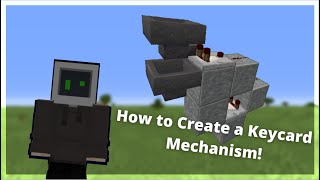
Video: Minecraft PE SUPER SIMPLE ID LOCK DOOR! (PE/Xbox/Windows10/Switch) by The Bow Tie Man
How to build it
- Build the doorframe and front wall
Lay a row of 6 floor blocks and place your Iron Door near one end. Build a 3-block-tall wall around the door and extending alongside the floor.
- Install the input dropper
In the wall next to the door at middle height, place a Dropper facing toward the back of the build. Crouch and place a Button directly onto the front of the dropper.
- Add the interior return chest
On the inside wall behind the doorway area, place a Chest at the middle level above a temporary block so you can easily reach it after walking through the door.
- Prepare the keycards
Use an Anvil to rename 23 stackable items (such as Paper) to your secret keycard name. Every item in the stack of 23 must share the exact same name.
- Place the filter hopper
Go behind the wall and crouch-place a Hopper directly behind the dropper, pointing into the back of the chest.
- Build the item filter circuit
Place a block behind the hopper with a Redstone Comparator reading from the hopper into another block. Place a Redstone Torch above the hopper so it locks it, then run two Redstone Dust from the comparator's output to power the block holding the torch. Place a block with a Button next to the dust to redirect the wire.
- Load the hopper filter
Open the hopper and put 18 of your renamed keycards in the first slot, and 1 keycard in each of the remaining four slots (22 total). Keep the 23rd keycard in your inventory to use as your key.
- Wire the chest to the door
Place a Redstone Comparator reading out of the side of the chest into a stepped-down block with Redstone Dust. Feed that dust into a block with a 1-tick Redstone Repeater, then run a 3-dust line underneath the floor directly to the block beneath your iron door.
How it works
This security door combines a dropper input with a compact hopper item filter:
- Locked state: The
redstone-torchpowers thehopper, preventing it from pulling random items out of thedropperand holding its 22 renamed filter items in place. - Reading the keycard: All five slots of the hopper are filled with your custom-named keycards (18, 1, 1, 1, 1), producing a signal strength of 1 from the first
redstone-comparator. When you insert the matching 23rd keycard into the dropper and press the button, the dropper pushes the item into the matching stack inside the hopper. - Unlocking the hopper: The 23rd item pushes the hopper's signal strength to 2. The signal travels through two
redstone-dustand inverts theredstone-torch, briefly unlocking the hopper so one keycard flows into the interiorchest. - Opening the door: The second
redstone-comparatordetects the keycard inside the chest and sends a signal through aredstone-repeaterto power thedoor. When you take your keycard out of the chest from the inside, the comparator turns off and the door closes.
Tips & variations
- Use a strongly secret name: Any player who guesses the exact name and item type of your keycard can craft a duplicate at an anvil. Add numbers or symbols to the item name for better security.
- Exiting from the inside: Place a button on the inside wall next to the iron door so you can leave without having to drop an item into the chest.
- Connecting to piston doors: You can hook the output repeater after the chest up to a 1x3 piston door or any other redstone doorway; simply extend the hopper chain if your door frame is thicker.
- Redirecting the filter dust: In Bedrock Edition, placing a stone button on the side of a block next to the filter's redstone dust redirects the wire so it doesn't accidentally power adjacent components prematurely.