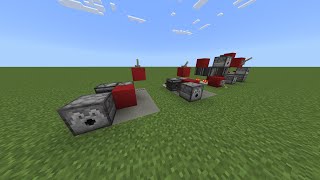
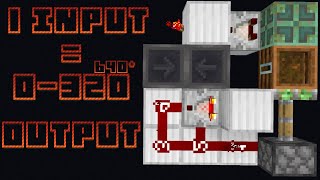
Video: Pulse Multiplier -- Minecraft Redstone Device by SethBling
How to build it
- Build the 2x2 Dropper and Hopper Loop
Place one dropper and three hoppers in a 2x2 square so that they feed into each other in a clockwise loop. The dropper should point into the first hopper, the first hopper into the second (main buffer) hopper, the second into the third (secondary buffer) hopper, and the third hopper back into the dropper.
- Create the Subtraction Monostable Input
Place a solid block with a button on it to act as your trigger, leading into a comparator set to subtraction mode (right-click it so its front torch turns on). Route thebutton signal into both the back and the side of this comparator through a repeater delay so that pressing the button outputs a single short pulse into a solid block next to the dropper.
- Wire the Pulse Feedback Loop
Place a comparator reading out of the first hopper (the one the dropper points directly into). Run its output through a chain of redstone repeaters and back into the solid block that powers the dropper, and tap your main circuit output off this line.
- Set the Pulse Delay
Adjust the repeaters in the feedback loop to at least 4 redstone ticks total. Four ticks is the fastest speed possible because the first hopper needs 4 ticks to transfer its item into the next hopper before the dropper fires again.
- Lock the Main Buffer Hopper
Place a comparator reading the dropper and run its output into a solid block positioned so that it powers the second hopper in the loop. As long as the dropper still has items inside, this hopper stays locked and collects every dispensed item.
- Lock the Secondary Buffer Hopper
Place a comparator reading the second hopper (the main buffer) and run its signal to power the third hopper (the one pointing back into the dropper). This keeps any items from returning to the dropper until the second hopper has completely emptied into the third.
- Load Items to Set the Pulse Count
Open the dropper and insert one stackable item for every pulse you want the circuit to produce (for example, 5 cobblestone for 5 pulses, up to 9 full stacks for 576 pulses). Press the button to test the burst and wait for the hoppers to cycle the items back into the dropper before firing again.
- Optional: Add a Ready Indicator Light
To see when the multiplier has finished resetting, place a solid block against the third hopper so it is also powered whenever the second hopper's comparator is on, then read through that block with another comparator into a block holding a redstone torch and a redstone lamp. The lamp will turn off while items are still in either buffer hopper and light back up once all items are back in the dropper.
How it works
The circuit combines a self-triggering dropper clock with a two-stage hopper buffer so items only cycle around the loop once per button press:
- Starting pulse: Pressing the button triggers the subtraction-mode comparator monostable circuit, sending a brief pulse into the block beside the dropper and ejecting the first item into Hopper 1.
- Feedback clock: While that item passes through Hopper 1, the comparator reading Hopper 1 turns on and sends a signal through the repeater delay chain back into the dropper block. After at least
4 ticks, Hopper 1 pushes the item into Hopper 2 (turning the comparator briefly off) just as the delayed pulse triggers the dropper to fire the next item. - Main buffer (Hopper 2): A comparator reading the dropper keeps Hopper 2 powered and locked as long as at least one item remains in the dropper. Every pulsed item stacks up inside Hopper 2 instead of looping back early.
- Secondary buffer (Hopper 3): Once the dropper shoots its final item, its comparator turns off and unlocks Hopper 2. As items begin draining from Hopper 2 into Hopper 3, the comparator on Hopper 2 keeps Hopper 3 locked. If Hopper 3 were not locked, the first returning item would enter the dropper immediately and re-lock Hopper 2 while items were still inside it.
- Reset: Once Hopper 2 is completely empty, its comparator turns off, unlocking Hopper 3 so all items flow smoothly back into the dropper for the next use.
Tips & variations
- Respect the 4-tick minimum delay: Hoppers transfer one item every 4 redstone ticks (0.4 seconds). If the repeater chain coming off the first hopper is set to fewer than 4 ticks, the signal will return before the hopper empties and stay stuck on instead of pulsing.
- Expanding the delay: You can make the pulses as slow as you want by extending the repeater line in the feedback loop.
- Maximum pulse count: A dropper has 9 slots, so filling it with 9 stacks of 64 stackable items produces up to 576 pulses from a single button press. Keep in mind that large item counts take much longer to drain through the two buffer hoppers during the reset phase.
- Do not press the button during reset: Triggering the circuit before all items return to the dropper will cut the pulse count short and split the items across the buffers. Adding the optional comparator-and-lamp ready light makes it easy to see when the reset is complete.