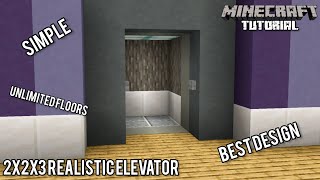
Video: How To Build A Elevator in Minecraft Bedrock! (Multi Floor) by Fed X Gaming
How to build it
- Build the Dual Bubble Shafts
Construct a 24-block tall double vertical shaft using solid building blocks for a 5-floor setup. The right column will push players up, and the left column will pull players down.
- Frame the Floor Entrances with Signs
At the first floor entrance, place 3 signs vertically on the left and right sides to hold back water. Leave 2 solid blocks above the doorway for the ceiling and next floor, then repeat the 3-sign doorway pattern up to the 5th floor.
- Fill Water & Convert with Kelp
Place water at the top of both shafts and let it flow down. Plant kelp from the very bottom to the top of both columns to turn every block into a water source, then break the kelp and place a Soul Sand at the bottom-right and a Magma Block at the bottom-left.
- Install Stopping Magma & Soul Sand
Go to the back of the right-hand (upward) shaft. Every 5th block up (flush with each floor level above floor 1), break the back wall block and insert a Magma Block. Then, starting from the third floor up, place a Soul Sand block one block down and one block over on the left shaft.
- Mount the Rear Sticky Pistons
Place a Sticky Piston facing directly into the back of every Magma Block and Soul Sand block you just installed along the rear of the shaft.
- Create the 5-Button Selector Panels
Extend a 5-block horizontal wall out from the center divider of each floor. Place 5 Stone Buttons across the front of these blocks on all five levels to serve as your floor selection panels.
- Wire the Reset & Selection Lines
Behind the first floor's button wall, place a row of 5 blocks with 5 Redstone Repeaters on top. Run a line of 5 Redstone Dust underneath those blocks, feeding into 5 more repeaters on 1-tick delay, and top the dust with solid blocks and Glass.
- Add 4-Tick Selection Repeaters
Coming out of the upper blocks behind the button panel, place 5 Redstone Repeaters set to 4-tick delay feeding into another row of solid blocks.
- Set Up the Dropper Memory Latches
Below the front of those blocks, place 5 Droppers facing down, and directly beneath them place 5 Droppers facing straight up into the top ones. Put exactly one dummy item inside each of the top droppers.
- Attach Selector Comparators
Place 5 Redstone Comparators reading out of the bottom row of droppers. Pressing any button now resets all latches via the 1-tick bottom line before the 4-tick top repeater pushes the chosen floor's item down.
- Build the Redstone Torch Towers
Leave the first comparator empty as the Floor 1 reset. On the remaining 4 comparators, build vertical alternating Redstone Torch columns: 4 torches tall for Floor 2, 6 torches for Floor 3, 8 for Floor 4, and 10 for Floor 5 so the top torch rests in the OFF state.
- Wire Torch Outputs to Shaft Pistons
Run a Redstone Dust line from the top torch of each column over to the corresponding floor's Magma Block and Soul Sand Sticky Pistons, using a Glass block to step the wire safely without cross-powering lower pistons.
- Connect Upper Floors with Wall Columns
To let upper-floor panels trigger the ground selector, place Trapdoors behind the upper buttons against vertical columns of Cobblestone Walls running down to Observers at the base selector circuit.
How it works
This elevator works by physically intercepting the bubble columns at your selected floor:
- Dropper RS-NOR Selector: Each button press splits into two signals. A fast 1-tick repeater line powers all five bottom droppers at once, shooting any stored item back into the top droppers to clear the previous floor. A slower 4-tick repeater then triggers only the selected column's top dropper, pushing its item down so its comparator turns on.
- Torch Ladders & Stopping Pistons: Each comparator powers a vertical Redstone Torch tower with an even number of torches. When a floor is selected, the top torch turns ON and extends the Sticky Pistons for that floor—pushing a Magma Block into the upward shaft (stopping you from rising past your floor) and a Soul Sand into the downward shaft (stopping you from sinking past your floor).
- Wall Update Lines: Pressing a button on an upper floor flips a trapdoor next to a vertical Cobblestone Wall pillar. The wall changes its connection state all the way down, which an Observer at the bottom detects to trigger the main selector latch.
Tips & variations
- Expandable Up to 14 Floors: You can expand this design up to 14 floors before reaching the 15-block redstone signal strength limit on the selector reset bus. Each added floor above floor 2 increases the torch tower height by 2 torches and adds roughly 0.8 seconds of travel time.
- Use Droppers, Not Dispensers: Make sure you craft Droppers for the memory selector; Dispensers will fail to transfer items cleanly back and forth.
- Use Stone Buttons: Stone or Polished Blackstone buttons give a clean pulse length that works reliably with the 1-tick reset and 4-tick set timing.