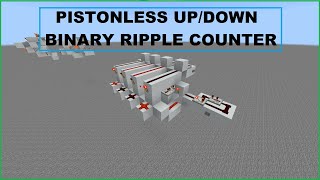
Video: Smallest Quick Reset Redstone Counter (Pulse Divider) for Minecraft Java by mooing_cowmilk
How to build it
- Place the Two Droppers
Start by placing two droppers in the center of your build area so that their faces point directly into each other. Leaving the space beneath them clear allows you to add hoppers later if you want to modify the item count dynamically.
- Add the Outer Comparators
Place one solid building block on the ground directly next to each dropper. On top of those two blocks, place redstone comparators facing outward, reading the inventory of each dropper.
- Install the End Blocks and Torches
Place a solid block directly in front of each comparator so the comparator feeds into it. Place one redstone torch on top of each of these end blocks.
- Place the Copper Bulbs and Inner Comparators
Next to each redstone torch, going back toward the center above the outer comparators, place a copper bulb. On top of the two center droppers, place two more comparators facing inward toward each other so they read the copper bulbs and point into the opposite bulb.
- Build the Top Bridge with Slabs
Place two solid blocks on top of the redstone torches and copper bulbs on both outer ends. In the middle two spaces directly above the inner comparators, place two top slabs to prevent quasi-connectivity (BUD powering) from locking the droppers below.
- Run the Top Redstone Line
Lay redstone dust across all six blocks and slabs along the very top of the circuit. This top line connects both sides and acts as your primary output for counting between 1 and 576.
- Load Items and Sync the Bulbs
Put your desired number of items into one of the droppers (1 item equals 1 input pulse). Because both copper bulbs start in the same state, break and replace one of the bulbs so that only one bulb is lit; alternatively, split the items across both droppers and pulse the input until they consolidate.
- Attach Your Input
Place a button or connect your input redstone line so that it powers both droppers at the exact same time. Every time you press the button, one item transfers across, and the top redstone line will turn on once all items reach the opposite dropper.
How it works
Traditional item counters pump items into a container and then rely on a slow hopper return phase to reset. This circuit eliminates the reset wait by making the two droppers alternate roles every cycle:
- Directional Locking: Both droppers are powered simultaneously by your input pulse, which normally would just swap items back and forth. To prevent this, the two copper bulbs and the inner redstone comparators keep one dropper continuously powered (locked) while leaving the other unpowered (unlocked).
- Counting Phase: While items exist in both droppers, both outer comparators output a signal into the end blocks, turning off both redstone torches and keeping the top
6-dustline completely unpowered. Each input pulse pushes one item from the active dropper into the locked dropper. - Instant Flip (12 Game Ticks): As soon as the active dropper pushes its last item over, its outer comparator turns off. The redstone torch on that end turns back on, powering the top redstone line (triggering your output) and toggling the adjacent copper bulb.
- Role Reversal: Toggling the copper bulb swaps which inner comparator is active, unlocking the full dropper and locking the newly emptied one. The counter is immediately ready to count back in the opposite direction on the very next pulse.
Tips & variations
- Counting Range (1 to 576 vs. 1,152): Taking your output from the top redstone dust line lets you count any number from 1 to 576 (9 full stacks of 64). If you take your output directly from one of the end redstone torches instead, it only triggers every full back-and-forth cycle, doubling the capacity to 1,152 (even numbers only).
- Output Signal Type: The top redstone dust line stays continuously ON while the counter is in its triggered/reset state, and stays OFF while counting is in progress.
- Asymmetrical Counting: Because the bottom of both droppers is completely exposed, you can attach hoppers underneath to inject or remove items mid-cycle (for example, alternating between counting 10 pulses and 5 pulses).
- Smaller 3x2x4 Variant (24 Blocks): If you do not need a 1-wide profile, you can build the ultra-compact 3x2x4 version shown in the video using a single copper bulb in the center, offset comparators on the side, and a repeater (or note block) on the non-input dropper to provide a block update for quasi-connectivity.