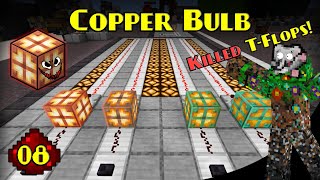
Video: Every T-Flip Flop 1.21+ | Minecraft Tutorials by
How to build it
- Design 1: The Copper Bulb 'Cop-Flop' (1.21+ Best)
Place a single Copper Bulb on the ground and attach a button directly to it (or run a redstone input into it). Place a Redstone Comparator facing away from the Copper Bulb to read its state—this 2-block circuit is a complete T Flip-Flop.
- Design 2: Fast Dual-Piston & Observer Spitter
Place a first Sticky Piston and attach an Observer directly to its piston head. This first piston will receive your button input and push the Observer forward.
- Add the Second Piston and Redstone Block
Position a second Sticky Piston so the Observer's output powers it when moved, and place a Block of Redstone on the second Sticky Piston's face. You can orient this setup in any direction that fits your build.
- Design 3: Silent Dropper-Hopper Loop
Create a 2x2 square loop of containers: place a Dropper facing up into a second Dropper, which points sideways into a Hopper. Point that Hopper down into a third Dropper, which faces back into the first Dropper.
- Add an Item and Comparator Output
Place a single random item inside one of the droppers and point a Redstone Comparator away from one container to serve as your output. Power the droppers with a button pulse to cycle the item between the monitored container and the rest of the loop.
- Design 4: Compact Dispenser-Dropper Loop
For a smaller item-based variant, place a Dropper facing straight up into a Dispenser. Place a Hopper directly in front of the Dispenser's face, pointing back into the bottom Dropper.
- Wire the Dispenser Loop Output
Put one item inside the Dropper and place a Redstone Comparator reading the top Dispenser. Pressing your input button moves the item up into the Dispenser (turning the comparator on), and pressing it again shoots the item out into the Hopper to return to the Dropper.
- Design 5: Locked Hopper-Dropper Toggle
Place a Dropper facing directly into a Hopper, and point that Hopper directly back into the Dropper. Place one item inside the Dropper and set a Redstone Comparator facing away from the Hopper.
- Add the Locking Torch and Dust
Run Redstone Dust on top of the containers powered by a Redstone Torch so the Hopper remains locked by default. Place your button on the block holding the Redstone Torch; pressing it briefly turns off the redstone, toggling the item between the Dropper and the Hopper.
- Design 6: Movable Cauldron or Composter Flop
Use Sticky Pistons (or an Observer driving a Sticky Piston) to push and pull a partially filled Composter or a water-filled Cauldron into and out of the reading space behind a Redstone Comparator. Note that you can also swap the Cauldron for a lit Copper Bulb if you want a movable state block.
How it works
Every T Flip-Flop stores a binary state (ON or OFF) and flips that state whenever it receives a pulse from a button:
- Copper Bulb (Cop-Flop): When a Copper Bulb receives a redstone pulse, it toggles its light state and stays lit even after the button pulse ends. A
Redstone Comparatorreads a lit Copper Bulb as a full signal strength of 15 and an unlit bulb as 0, creating a complete memory cell in just two blocks. - Piston Block-Spitting (Java Only): When an
Observerfires a 1-tick pulse into aSticky Piston, the piston extends and instantly retracts without bringing its pushed block back. On the next button press, another 1-tick pulse causes the sticky piston to reach out and grab theBlock of Redstone(or filledCauldron/Composter) back. - Container & Locked Hopper Loops: By placing a single item inside a loop of
DroppersandHoppers, a comparator placed against one container only outputs a signal while the item rests inside that specific block. Each button pulse advances or unlocks the item to move to the next container, toggling the comparator ON and OFF.
Tips & variations
- Java vs. Bedrock Edition: Any T Flip-Flop that relies on a
Sticky Piston'spitting' out its block on a short pulse (such as the Observer Spitter and classic Block Spitter designs) only works on Java Edition. For Bedrock Edition, use the 1.21 Copper Bulb Cop-Flop or the Dropper-Hopper variants. - Rising vs. Falling Edge: Fast observer and Copper Bulb designs toggle immediately when you press the button (rising edge). Traditional repeater-locked or dust-timed piston switches wait until the button un-presses to toggle (falling edge).
- Boat & Bubble Column Variant ('Thief Flop'): If you want a T Flip-Flop that turns ON almost instantly when toggled, but has a long delay before turning OFF, place a boat on pressure plates over Soul Sand with walls around it and a
Dispenserholding a water bucket. Dispensing water floats the boat off the pressure plates slowly, while retracting the water drops the boat back onto the plates immediately. - Pre-Toggle Pulse ('Flash' Flops): Dual-hopper loops that briefly unlock to pass an item back and forth will emit a quick signal flash before settling into their toggled state, which is useful if a contraption needs a short priming pulse right before a constant signal.