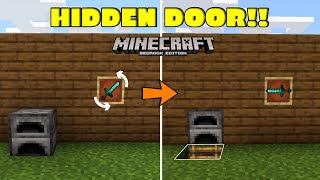
Video: How To Make A Super Easy Hidden Door With No Buttons Or Levers In Minecraft 1.19.2 Tutorial by SmokeyDangles
How to build it
- Carve Out the Room
Find a flat cliffside or wall and dig out a small room roughly 4x4 or 5x5 blocks in size to house your redstone wiring.
- Position the Sticky Pistons
Stack two sticky pistons vertically inside the wall, set one block back from the doorway opening so that when they extend, the blocks they hold will sit flush with the outside wall.
- Power the Pistons
Place a solid block behind the bottom sticky piston with a piece of redstone dust on top of it. Place a redstone torch on the block behind that to keep the dust powered, and put another piece of dust on top of the block holding the torch so both pistons extend.
- Place the Hidden Stair Trigger
A few blocks to the side of your doorway, place a matching stair block rotated so that its flat back faces outward and its recessed step faces into the wall. Surround it with matching blocks so it looks like a normal part of the wall from the outside.
- Install the Observer
Dig a small trench underneath the stair block and place an observer facing upwards into the bottom of the stair. The observer's red output dot should point down into the trench.
- Connect the Redstone Line
Place redstone dust directly beneath the observer and run a line of redstone dust underground over to the block holding your redstone torch.
- Add Repeaters for Delay
Along the underground redstone line, replace two pieces of dust with two redstone repeaters pointing toward the redstone torch. Set both repeaters to their maximum 4-tick delay to keep the door open slightly longer.
- Cover the Wiring and Test
Attach two wall blocks to the faces of the sticky pistons and cover up your trench using solid blocks and a slab where needed so you don't cut off the redstone line. Right-click the hidden stair block with a water bucket to open the door, and scoop the water back up from the inside to exit.
How it works
This secret door relies on the waterlogging mechanic combined with an observer and a simple NOT gate (inverter):
- Default State: The
redstone-torchcontinuously powers the block andredstone-dustbehind the twosticky-pistonunits. This keeps the pistons extended and the door closed flush with the mountain wall. - Triggering the Observer: Because the stair block is rotated inward, it looks like a full block from the outside, but you can still aim at it and waterlog it with a water bucket. Waterlogging changes the block state of the stair without spilling water anywhere.
- Opening the Door: The
observerunderneath the stair detects this block state change and emits a short redstone pulse into the dust below it. - Extending and Inverting the Signal: The pulse travels through the two 4-tick
redstone-repeaterblocks, which delay and lengthen the pulse slightly before it powers the block holding theredstone-torch. This briefly turns the torch off, unpowering the sticky pistons so they retract and allow you to walk through. - Exiting: When you are inside and use an empty bucket to pick the water back up from the stair, the observer detects the state change again, briefly opening the door so you can walk out.
Tips & variations
- Longer Open Time: A single observer pulse only turns the torch off very briefly. If you have trouble walking through in time, add more 4-tick repeaters in series or insert a quick pulse extender before the redstone torch.
- Remember the Block: Since the back of a stone stair looks identical to regular stone, make note of coordinates or nearby natural terrain features so you don't forget which block to click with your water bucket.
- Slab Placement: When covering the underground redstone line near your walkway, use a top slab or make sure no solid block cuts off diagonal redstone dust connections.