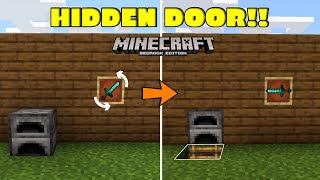
Video: Secret Calibrated Skulk Door Minecraft 1.20 Tutorial by Jax and Wild
How to build it
- Place the Calibrated Sculk Sensor
Go behind your front wall and place a Calibrated Sculk Sensor on the floor so its amethyst input side points to either the left or right. The hidden doorway will be built on the side opposite the amethyst input.
- Connect the Lectern and Comparator
Place a Redstone Comparator feeding directly into the amethyst side of the Calibrated Sculk Sensor, then place a Lectern behind the comparator.
- Add the Observer and Sticky Piston Toggle
Place an Observer directly on top of the Calibrated Sculk Sensor so it reads the sensor from below and outputs upward. On top of the observer, place a Sticky Piston facing away from the front wall.
- Prepare the 15-Page Calibration Book
Open a Book and Quill, flip to page 15, type at least one character so all 15 pages exist, and place it on the Lectern. Flip to page 3 (projectile fired, goat horn, or item interaction) while building so your footsteps do not constantly trigger the piston.
- Muffle the Piston with Wool
Place four Wool blocks around the observer and sticky piston mechanism to block the piston's own noise from re-triggering the sensor. Leave the front side toward the wall and the inside hallway direction unblocked by wool so the sensor can still hear you from both outside and inside.
- Place the Redstone Block Output
Attach a Block of Redstone to the face of the top Sticky Piston. Place a solid building block one block away and one block down from where the redstone block extends, then put a piece of Redstone Dust on top of it.
- Build the Comparator Pulse Extender Platform
From the redstone dust block, step one block diagonally up in the direction away from the lectern and build a 4x2 platform of building blocks (choose blocks that match your tunnel ceiling, as the undersides may be visible).
- Wire the Pulse Extender
On the 4x2 platform, place four Redstone Comparators in the middle—two facing one direction and two facing the opposite direction side-by-side—and connect their ends with four pieces of Redstone Dust (two on each end) to form a pulse extender loop.
- Add the Timing Repeaters
Extend one block out from the pulse extender toward the front wall and place a Redstone Repeater facing the wall set to 4 ticks (full delay). From that repeater, build a 3-block line back toward the toggle piston: place Redstone Dust on the first block, a Repeater set to 2 ticks (one click) on the middle block, and Redstone Dust on the third block, plus one raised block with Redstone Dust next to it.
- Install the Jeb Door Sticky Pistons
Beneath the timing blocks near the wall, place a 2x2 stack of four Sticky Pistons facing the doorway side. In front of the extended position of those four pistons, place two more Sticky Pistons facing forward toward the front wall, followed by your two wall blocks.
- Select Your Vibration Key and Test
Turn the book on the Lectern to your desired resonance page (such as page 3 for a goat horn or page 8 for eating food). Perform the action outside or inside the door; the flush pistons will pull the wall back to open the passage and close it again the next time you make that sound.
How it works
This circuit combines a Calibrated Sculk Sensor frequency filter with a 1-tick sticky piston T flip-flop and a flush 1x2 Jeb piston door:
- Resonance Filtering: A Book and Quill with 15 pages inside a Lectern outputs a signal strength equal to the currently selected page (1 through 15) when read by a comparator. Feeding this into the amethyst side of a Calibrated Sculk Sensor locks the sensor so it only reacts to vibrations matching that exact frequency (for example, page 3 for goat horns/projectiles, or page 8 for eating).
- T Flip-Flop Toggle: When the sensor detects the chosen vibration, the Observer above it detects the activation and fires a short 1-tick pulse into the top Sticky Piston. On Java Edition, a 1-tick pulse causes a sticky piston to spit out or pick up its Block of Redstone, toggling the door between open and closed states each time you perform the action.
- Wool Sound Insulation: The four Wool blocks act as vibration occlusion between the top sticky piston/door pistons and the sensor below, preventing the door's own mechanical sounds from creating an infinite loop.
- Pulse Extender & Flush Door Timing: The four comparators hold the signal long enough, while the 4-tick and 2-tick repeaters sequence the 2x2 back sticky pistons and the 1x2 front sticky pistons so the wall blocks push out flush when closed and retract cleanly to the side when open.
Tips & variations
- Changing Your Password: You can change the activation trigger at any time from inside your base simply by flipping pages on the Lectern. Make sure the book has 15 pages written so every page corresponds directly to signal strengths 1–15.
- Java Edition Only: This exact design relies on Java Edition piston mechanics (sticky pistons dropping their block on a 1-tick observer pulse and quasi-connectivity on the bottom door pistons) and will not function on Bedrock Edition.
- Troubleshooting Hearing Range: If the sensor triggers from outside the base but not from the inside hallway (or vice versa), double-check your wool placement. Wool must block the line of sight between the pistons and the sensor while leaving a clear path toward both the outside wall and inside corridor.
- Ceiling Decoration: Use matching stone bricks or wall materials for the comparator platform above the hallway, since the bottom of those blocks makes up the tunnel ceiling.