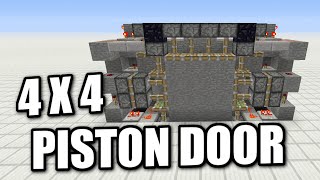
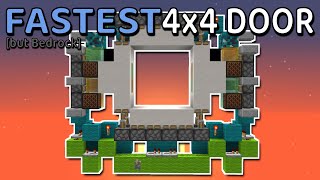
Video: Tiny, Fast and Super Sync 4x4 Piston Door for 1.11-26.1.2+! Tutorial! [180 Blocks!] [Java Edition] by Sidney600MC
How to build it
- Mark the 10x2 Floor Space
Clear a 10-wide by 2-deep area that is 9 blocks tall. The 4x4 door opening will sit two blocks above the very bottom of the trench, centered between the two sides.
- Place the Bottom and Top Pistons
Place a row of four upward-facing sticky pistons at the bottom of the frame to push the floor blocks, and four downward-facing sticky pistons along the ceiling to push the top blocks.
- Add Double Extenders and Storage Pistons
On both the left and right sides of the frame, install a horizontal double piston extender (two sticky pistons facing inward toward the center) along with upper and lower storage sticky pistons above and below the extenders to grab the center blocks.
- Wire the Input and Vertical Signal
Place your input lever on the side frame while the door is in its open state (lever OFF). Run the input through a sticky piston and observer line that travels upward with solid blocks, a repeater, and redstone dust to power the top and upper storage pistons.
- Set Up the Bottom Storage and Immovable Block
Below the side frame, place an immovable block (such as obsidian) next to your observer line so the moving components don't push unintended blocks, and route power into the bottom storage piston and a 2-tick repeater.
- Build the Hopper-Observer Sync Chain
Place a hopper next to the lower piston line and point an observer at it so the observer detects when the hopper locks and unlocks. Chain additional observers around the corner to fire the bottom and side pistons in sync.
- Install the Dropper-Hopper Comparator Delay
At the top corner, place a dropper facing into a hopper (and back into the dropper) with a single item inside. Place a comparator on a slab reading the hopper to provide the delayed pulse needed for the double piston extender.
- Add the Double-Extender Retraction Pulse
Install a lower dropper and observer pair underneath the side circuit with a repeater so the double extender fires a second pulse during the opening sequence when the solid door blocks are in position.
- Mirror the Circuit on the Other Side
Build the exact same observer, hopper, dropper, and repeater layout on the opposite side of the doorframe. Put one item inside the silence/delay droppers on both sides, ensure all door blocks are solid blocks, and flip the lever to test.
How it works
This 4x4 door achieves a 2-wide profile by using state-change detection rather than bulky repeater lines:
- Hopper & Dropper State Detection: Observers can detect when a hopper or dropper becomes powered or unpowered. Placing hoppers and droppers inside the wiring lets the signal turn corners and trigger adjacent observers within a 2-block-deep footprint.
- Dropper-Hopper Comparator Pulse: When triggered, the dropper pushes its single item into the hopper. A
Redstone Comparatorreads the item in the hopper long enough to deliver a timed secondary pulse to the top and side double extenders. - Block-Conditional Retraction: During opening, an observer pulses through a solid door block that is only present when the door is closed, allowing the double piston extenders to grab and retract the inner 2x2 blocks cleanly without firing extra pulses during the closing cycle.
Tips & variations
- Lever State Matters: Make sure the lever is in the OFF position when the door is OPEN before you first toggle it, otherwise the piston timings will desync.
- 1.16+ Redstone Cross Fix: In Minecraft 1.16 and newer, single redstone dots do not power adjacent blocks the way they used to. Right-click any single redstone dust dot in this build so it becomes a cross.
- Use Droppers, Not Dispensers: You must use droppers for the item containers and observer triggers. Adding a random item inside the lower trigger droppers stops them from making an audible clicking sound.
- Build Both Sides Before Testing: Testing when only one half is built will cause the blocks in the center to jam on repeated toggles. Finish mirroring the second side before running full open/close cycles.
- Solid Door Blocks Required: The door blocks themselves (especially the inner blocks that transmit observer pulses during opening) must be solid, opaque blocks—glass or slabs will break the retraction sequence.