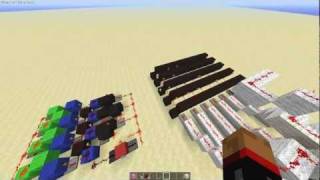
Video: How to build a digital clock in Minecraft - Part 1 - the 7 segment display by M310N
How to build it
- Build the Dual Dropper Counter
Start 3 blocks off the ground with a central redstone dust on a block and a 4-block platform behind it. Place two subtract-mode comparators facing into that central dust, each reading from a pair of droppers facing into each other. Completely fill the two droppers directly behind the comparators with 64-stackable items and leave their partner droppers empty.
- Add the Increment and Decrement Triggers
To count up, place an observer feeding a 2-tick repeater into a block that updates the increment dropper via quasi-connectivity. To count down, place a button on the front linked to a sticky piston and observer monostable circuit, feeding a 2-tick repeater into the decrement dropper.
- Construct the 10-Slice Redcoder
Read the main counter signal with a comparator and cancel out baseline strength using a barrel containing 1 item. Extend a 10-block-long decoder line out the back using target blocks, redstone torches, repeaters, and a subtract comparator so each slice corresponds to one digit from 0 to 9. Add a comparator reading a nearly full barrel (missing 1 slot) to turn off the '0' torch whenever the signal is above zero.
- Wire 9-to-0 and 0-to-9 Digit Looping
Tap a subtract comparator off the counter line comparing against a barrel filled to signal strength 9 (two rows minus two slots). When the counter increments past 9 to 10, this line depowers a torch and resets the droppers back to 0. Add a second barrel with signal strength 9 gated by the zero-state and the decrement button line (routed through target blocks to avoid accidentally powering the droppers) so decrementing from 0 jumps directly to 9.
- Install the Manual Reset Button
Around the back of the counter, place a button connected to a short redstone dust and repeater line feeding directly into the main reset circuit. Pressing this at any time forces the counter back to 0.
- Build the 7-Segment Lamp Display and Torch Tower
One block above the front base, construct a 7-segment display out of redstone lamps surrounded by black concrete. Behind it, build a vertical redstone torch tower with 7 output dust lines running along the sides—one for each segment of the display.
- Connect the 7 Segments to the Decoder
Route each of the 7 output lines from the torch tower to its corresponding lamp segment on the display using repeaters, full blocks, and slabs (use slabs near the droppers to prevent quasi-connectivity buds, and a target block on the top line to redirect dust). Once all 7 segments light up individually, extend the 7-line torch tower backwards across all 10 digit slices of the decoder.
- Encode Digits 0 Through 9
Step through digits 0 to 9 one by one and check which bottom decoder torch is active. On each slice, turn off the segments that should stay dark for that number by either knocking out a side torch on the tower or replacing the redstone dust on that line with a repeater so the signal passes through without being powered by that slice.
- Optimize Delays and Add the Top Increment Button
Replace redundant consecutive repeaters behind the display with solid blocks to shave off 2 ticks of delay, and adjust the decoder line repeaters (adding 3-tick and 4-tick delays) so all segments switch simultaneously. Finally, place an increment button at the top front connected to a sticky piston pushing an observer into a vertical observer chain leading straight down to the increment input.
How it works
This display module operates by converting item counts into analog signal strength, decoding that strength into discrete lines, and hard-coding the 7-segment patterns:
- Dropper Counter: Two pairs of droppers hold 64-stackable items read by comparators in
subtractmode. Moving items between the droppers raises or lowers the signal strength on the central redstone dust from 0 to 9. - Signal Strength Decoder (Redcoder): A 10-block spine behind the counter compares the current signal strength and isolates it so that only one of the 10 redstone torches (representing digits 0–9) turns on at any given strength.
- Rollover Logic: Barrels configured to emit a signal strength of 9 act as thresholds. Stepping up to 10 triggers a reset pulse back to 0, while pressing decrement while at 0 injects a signal strength of 9 to wrap the display around.
- Torch Tower ROM: Above the 10 decoder slices sit 7 horizontal redstone lines driving the 7 lamp segments. By selectively removing torches or placing repeaters across the grid, each active digit slice inhibits the segments that should remain off for that number.
Tips & variations
- Check Dropper Inventories: Before testing, make sure the two primary storage droppers are 100% full of 64-stackable items and their partner droppers are completely empty, or the signal strength offsets will shift.
- Preventing QC Buds: Always use top slabs where lines pass right next to the counter droppers; full blocks will power the droppers through quasi-connectivity and corrupt the count.
- Target Blocks Are Mandatory: Do not swap the target blocks in the decoder or reset circuit for regular blocks—they are required to redirect redstone dust away from adjacent droppers and repeaters.
- Automatic Counting: To test the display hands-free, connect a simple comparator subtract clock with a loop of repeaters into the increment observer input.