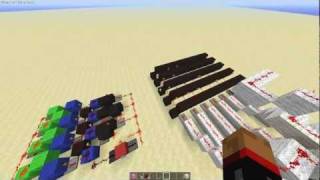
Video: [Tutorial] Smallest and FAST 7 Segment Display for Minecraft Bedrock/MCPE/Windows/Xbox/Switch by Ben -the human
How to build it
- Build the 7-Segment Lamp Face
Construct the front display wall using 13 redstone lamps arranged in a classic figure-eight 7-segment pattern, filling the inner gaps and corners with solid blocks or obsidian for contrast.
- Add the Button Input and Observer Pulse
Place your input button on the front frame and run a 3-block line of redstone dust behind it. At the end of this line, place a sticky piston pushing an observer to create a clean short pulse.
- Install the First Feed Tape Pistons
Behind the observer output, place solid blocks topped with redstone dust leading to a row of three normal pistons that will push the first leg of the triple piston feed tape.
- Wire the Lower Feed Tape Pistons
Branch off the initial redstone line with a repeater set to 2 ticks running into a solid block. At the bottom of the frame, place three normal pistons facing the next corner of the tape and power them with dust below that block.
- Install the Top Downward Pistons
At the top of the frame, place three normal pistons facing downwards to push the feed tape column down. Run redstone dust across the blocks above them.
- Build the Slime Block Vertical Line
On the side of the circuit, attach a vertical column of 3 slime blocks to an upward-facing sticky piston, using your 2 obsidian blocks nearby to prevent the slime from sticking to the frame. At the top of the slime column, run a 2-tick repeater into a block to trigger the upper pistons.
- Wire the Segment Comparators
Behind the redstone lamps, install your comparators on solid blocks and glass to read from the three parallel feed tape columns. Place short lines of redstone dust and blocks behind each comparator so that each readout powers its assigned lamp segment without bleeding into adjacent segments.
- Encode the Feed Tape with Cauldrons or Furnaces
Fill the three 10-block feed tape loops with either cauldrons or furnaces. For each of the 10 positions (digits 0 through 9), set the water level in the cauldrons (1 or 2 levels) or item counts in the furnaces so the comparators output the exact signal strength needed to light the right segments.
- Add the Carry Output for Tiling
To connect multiple digits side by side, place a block and a comparator reading the reset position of the tape. When the display cycles from 9 back to 0, this line sends a pulse into the next module's observer input.
How it works
This counter stores the patterns for digits 0 through 9 inside a 3-wide piston feed tape made of movable containers (either cauldrons or furnaces, which are movable by pistons in Bedrock Edition).
- Pulse & Feed Tape Advance: Pressing the button powers a sticky piston that moves an observer, sending a brief pulse through synchronized 2-tick repeaters and a 3-slime-block vertical transmission column. The four sets of normal pistons fire in sequence to rotate all three parallel rings by one block.
- Signal Strength Decoding: Six
redstone-comparatorunits read the containers resting in the active front positions. Depending on the fill level (water level 1 vs. 2 in cauldrons, or specific item stacks in furnaces), the comparators output signal strength 1 or 2, reaching either the immediate block or a second dust segment to light all 7 segments independently from just three tape columns. - Carry Over (Tiling): When the unit transitions from 9 back to 0, an auxiliary comparator detects the filled container in the rollover slot and triggers the adjacent module's input piston.
Tips & variations
- Cauldrons vs. Furnaces: In Creative or late-game Survival, use cauldrons with a water bucket and glass bottles—setting water levels to 0, 1, or 2 is much faster. In early-game Survival where iron is scarce, use furnaces filled with cheap cobble or dirt (around 5.5 stacks total).
- Button Jam Protection: Using a stone button prevents the feed tape from breaking if spammed; at worst, a rapid press won't register until the piston cycle finishes.
- Manual Reset: Because this compact 4x8x8 frame omits an automatic reset circuit, you can advance each digit individually with its own button until all displays return to 0.
- Bedrock Exclusive: This specific compact wiring relies on Minecraft Bedrock's movable tile entities (moving furnaces/cauldrons with pistons) and Bedrock redstone dust auto-connecting to pistons.