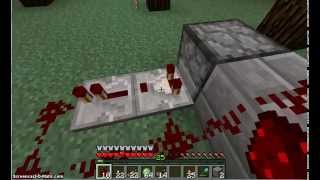
Video: How To Make Automatic Repeating Firing Dispenser In Minecraft - Full Guide by GuideRealm
How to build it
- Place the Clock Repeaters
Place one redstone repeater on the ground. Next to it, place a second redstone repeater facing the exact opposite direction.
- Complete the Redstone Loop
Place two pieces of redstone dust at both ends of the repeaters to connect them into a closed rectangular loop.
- Extend the Output Line
From one end of the loop, place an extra piece of redstone dust leading outward. Place a third redstone repeater in front of that dust, facing away from the clock circuit.
- Attach the Dispenser
Place your dispenser directly in front of the third repeater so the repeater feeds its signal straight into it.
- Power the Circuit
Place a redstone torch right next to one of the redstone dust corners so the entire loop lights up with power.
- Start the Repeating Clock
Break the redstone torch, then very quickly break and replace one piece of redstone dust in the loop. If done fast enough, the signal will begin rapidly cycling around the circuit.
- Load and Control the Dispenser
Open the dispenser and load it with arrows or other items to begin rapid firing. To stop the dispenser, sneak (hold Shift) and place a lever onto the circuit, then flick it to lock the signal.
How it works
This build operates using a simple repeater clock:
- The Clock Loop: Two repeaters facing opposite directions connected by redstone dust create an endless feedback loop. When a brief pulse is introduced (by powering the loop and quickly breaking and replacing a dust piece), the signal chases itself around the loop indefinitely.
- Signal Output: Every time the pulse cycles through the side connected to the output line, it powers the third
redstone repeater, which pushes a short pulse into thedispenser, triggering it to fire once per cycle. - Toggle Switch: Flipping the attached
leverfloods the circuit with a constant ON signal. Since dispensers only fire on a rising edge (when a signal changes from OFF to ON), keeping the line permanently powered stops the clock and halts the firing.
Tips & variations
- Timing Issue when Starting: If the entire loop stays solidly lit or turns completely off when you try to start the clock, you broke and replaced the redstone dust either too slowly or too quickly. If it fails, try adjusting the repeaters to a 2-tick delay to make the timing window much easier, or break the redstone torch and replace it for just a split second.
- Restarting After Using the Lever: Note that locking a basic 2-repeater loop with a lever will flood the circuit with constant power, meaning you will have to break and replace a piece of redstone dust again to restart the pulsing clock once you turn the lever off.
- Controlling Fire Rate: You can slow down the firing speed by right-clicking the two repeaters in the loop to increase their tick delay.